Laptop Screen Repair & Replacement
Your laptop screen is the window to everything you do - and when it fails, productivity stops. We specialize in same day laptop screen replacement using manufacturer-grade parts, with most jobs completed in just a few hours. Walk in or schedule a free pickup from anywhere in Dubai.


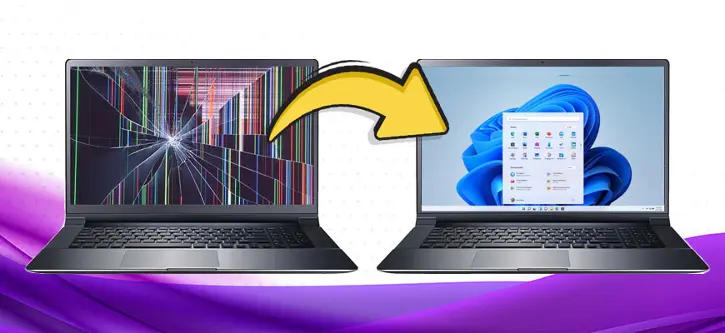
Get Your Laptop Screen Repaired Within Hours!
A clear and bright laptop display supports a more comfortable and productive work experience. The display lid is the most delicate and frequently moving part of a laptop, opened and closed dozens of times daily, making it one of the most vulnerable components to accidental damage. We receive dozens of laptops every day with issues ranging from cracked and broken screens to flickering displays, backlights not working, damaged display cables, and sometimes a completely black screen. The best solution to all these problems is to trust a professional laptop screen repair technician.
That is exactly why My Celcare JLT exists. Our certified technicians diagnose your issue within minutes and give you an honest assessment of what your laptop needs. Whether it is a cracked panel, a flickering display, or a completely black screen, we provide fast and reliable laptop screen repair service in Dubai. We stock original OEM panels for all major brands and complete most jobs within hours, using precision tools and manufacturer-grade standards to deliver a flawless finish every time.
Common Laptop Screen Problems We Fix Every Day
Cracked or Shattered Screen
Dropped your laptop or closed the lid on a pen? We replace cracked LCD and LED panels for all brands the same day.
Flickering or Flashing Display
A loose cable, failing backlight, or GPU fault can all cause flickering. We diagnose the root cause for free before recommending any repair.
Vertical or Horizontal Lines
Coloured lines running across the display point to a damaged LCD panel. A screen replacement resolves this in most cases.
Black Screen / No Display
Laptop powers on but screen stays black? Could be the display panel, backlight, inverter, or cable. We test each component to find the exact fault.
Dim or Dark Screen
If your screen is barely visible even at full brightness, the backlight LEDs or inverter board may have failed. We replace the backlight or the full panel.
Dead Pixels or Colour Distortion
Dead pixels, white spots, or washed-out colours mean the panel is degrading. A full screen replacement with a new panel is the only permanent fix.
Broken Hinges Damaging Screen
Worn or snapped hinges can crack the screen from inside when you open the lid. We repair hinges and replace the damaged display together.
Touch Screen Not Responding
For 2-in-1 laptops, a non-responsive touch layer is often a digitizer fault. We replace the digitizer, the LCD, or both depending on the issue.
Our Service Process
Bring It In or Request Free Pickup
Walk into our JLT service center near DMCC Metro Station, or call 04 421 1494 for free pickup anywhere in Dubai. No appointment needed.
Free Screen Diagnostic
Our technician inspects the screen, cable, backlight, and display controller. We identify whether you need a panel replacement, cable repair, or backlight fix - and give you a clear quote before any work begins.
Screen Replacement with OEM Panel
Once you approve the quote, we replace the screen using an OEM-equivalent panel matched to your laptop model by resolution, size, and connector type. Most replacements are done the same day.
Quality Testing and Handover
We test brightness, colour accuracy, touch response (if applicable), and hinge alignment before returning your laptop. Every screen replacement comes with our 3-month warranty.
What is Your Laptop Screen Repair Cost? Find Out Instantly.
The price of a laptop screen depends on the model and the type of LCD. Different screen sizes, resolutions, and technologies (IPS, OLED, or TN) can affect the cost.
* Prices are approximate ranges. Final cost confirmed after free diagnosis based on your exact laptop model.
Pay for Laptop Screen Repair in Installments - Tabby and Tamara Available
Laptop screen replacements range from AED 370 to AED 1,500 depending on your model and panel type. You do not have to pay everything upfront. Split your repair cost into 3 or 4 monthly payments at 0% interest through Tabby or Tamara.
This works for walk-in repairs and pickup orders across Dubai. Just select Tabby or Tamara at checkout.
We are the only laptop repair centre in JLT offering buy-now-pay-later. No credit card required for Tabby. No hidden fees.
Select your Laptop for Repair
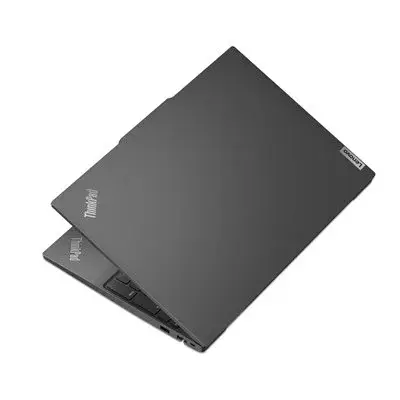
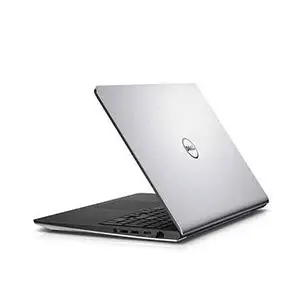
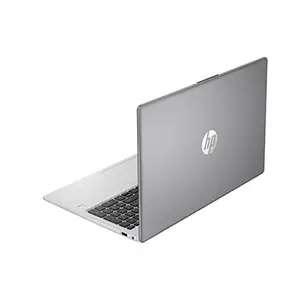
Gaming Laptop Screen Repair in Dubai
Gaming laptops use proprietary high-refresh panels with connectors that differ from standard screens. We have repaired gaming displays at My Celcare JLT since 2012.
Brands we service: ASUS ROG, ASUS TUF, MSI Gaming, Lenovo Legion, HP Omen, Alienware, Razer Blade, Acer Nitro, and Acer Predator.
Common gaming screen issues we fix:
- Cracked 144Hz or 165Hz IPS panels
- Dead pixels on QHD displays
- Backlight failure on OLED gaming screens
- Flickering caused by a loose eDP cable
- Purple or green tint lines from panel stress fractures
We source most FHD 144Hz and 165Hz panels within 24 hours. QHD and OLED gaming panels take 24 to 48 hours. Every gaming screen replacement carries our standard 3-month warranty.
Call 04 421 1494 or WhatsApp us to check stock and get a same-day price for your gaming laptop screen.
Can a Flickering Laptop Screen Be Fixed Without Replacement?
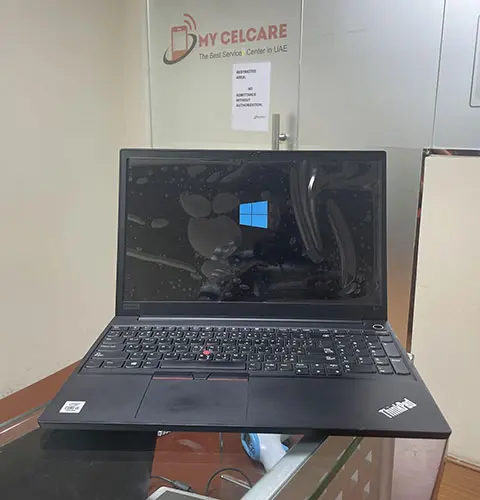
In many cases, yes. A flickering screen does not always mean the panel is broken. The real cause is often one of these:
- A loose or damaged LVDS/eDP display cable
- A failing backlight inverter
- Outdated or corrupt GPU drivers
- An overheating graphics card causing signal instability
Our technicians fix all of these without replacing the screen.
However, a damaged LCD matrix, dead backlight LEDs, or a failing display controller do require a full laptop screen replacement. We diagnose the exact fault first so you only pay for what your device actually needs.
Why Choose My Celcare JLT?
Since 2012, My Celcare JLT has replaced thousands of laptop screens across Dubai - from a student's cracked Lenovo IdeaPad to a 4K Dell XPS used by a professional in Dubai Marina. Here is what makes us different:
- ✓ Free diagnostic, always. We inspect your screen, cable, backlight, and display controller before quoting. You only pay for what your device actually needs.
- ✓ OEM and OEM-equivalent panels. Same resolution, same panel type, same color profile as your original display. No visual difference after repair.
- ✓ Same-day turnaround. Most standard screens are replaced within 2-4 hours. Gaming and OLED panels within 24-48 hours.
- ✓ 3-month warranty on all screen replacements. Covers both parts and labour.
- ✓ Flexible payment. Pay by cash, card, bank transfer, Tabby, or Tamara (0% installments over 3-4 months).
- ✓ Free pickup and delivery across Dubai. We collect your laptop and return it repaired - no need to visit the store.
- ✓ 983+ Google reviews, 4.6/5 rating. The most reviewed laptop repair center in JLT.
Other Repair Services
What Our Customers Say
"It was a shocking moment when I broke my laptop screen. Thanks! My CelCare JLT that fixed my laptop screen and hinges within 4 hours. I appreciate their expertise and highly recommend them for laptop repair."
"I am very happy with their service! One day I woke up and suddenly saw that the laptop screen was showing lines. This was a big surprise move for me as I rely on my laptop a lot. They very dutifully picked up my damaged laptop from my home and repaired and delivered it on time. I highly recommend My CelCare for laptop screen repair they provide the fastest service in Dubai."
"I had my laptop screen repaired at this shop and I am very satisfied with the service. The repair was done very quickly, the price was fair, and the overall service was professional and friendly."
Frequently Asked Questions
Yes. Connect your laptop to an external monitor via HDMI to access your data and back it up. A broken laptop display does not affect your hard drive or stored files. Bring it to My Celcare JLT and we will assist you.
A non-responsive touch screen is usually caused by a faulty digitizer, loose screen cable, or driver issues. Our touch screen digitizer repair service diagnoses the exact fault for free, and we replace only the component that needs fixing.
Most laptop screen replacements are completed the same day, usually within 2 to 4 hours. Gaming and OLED panels may take 24 to 48 hours depending on availability. We confirm timing when you book.
Connect your laptop to a TV or monitor using HDMI. If the external screen works fine, you likely have a cracked laptop screen or faulty LCD panel. If both screens look wrong, it could be the graphics card. We diagnose free.
Yes. We handle gaming laptop screen replacement for ASUS ROG, MSI, Lenovo Legion, HP Omen, Alienware, and Razer - including 120Hz, 144Hz, 165Hz, and 240Hz panels. Most FHD gaming screens are in stock. Call 04 421 1494 or WhatsApp to check availability before visiting.
Yes. A dim display usually means the backlight LEDs or inverter board have failed. Our laptop backlight repair service restores full brightness without replacing the entire panel, saving you time and money.
Yes, worn or snapped hinges put pressure on the display panel every time you open the lid. Our laptop hinge repair service fixes or replaces damaged hinges before they crack the screen from inside.
Yes. Our laptop screen repair service includes free pickup and delivery anywhere in Dubai. Call 04 421 1494 or WhatsApp us to schedule a collection from your home or office.
