Why Is My Laptop So Slow? 12 Common Causes and How to Fix a Slow Laptop
By My Celcare JLT | Published | Updated
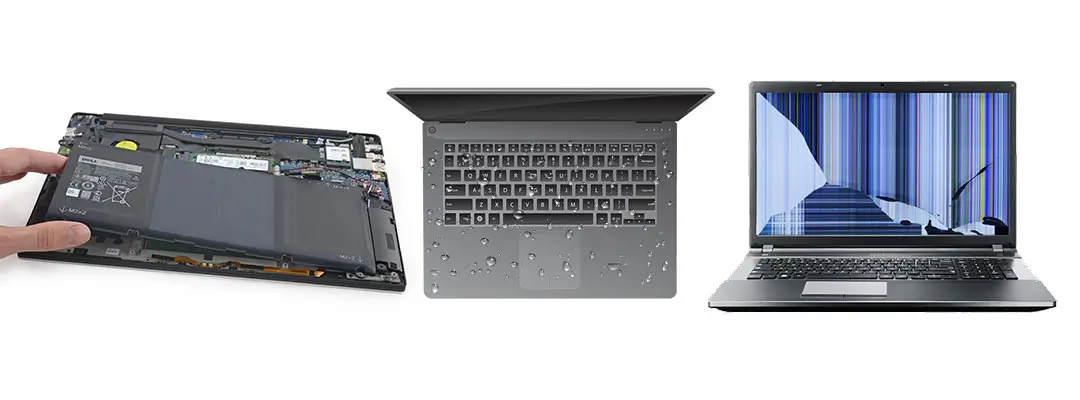
If your laptop takes 5 minutes to load a browser tab, freezes during video calls, or sounds like a jet engine - you are not alone.
Living and working in Dubai means your laptop faces extreme heat, heavy dust, and long working hours - all of which accelerate slowdown faster than in cooler climates.
At My Celcare JLT, we have repaired over 95,000 devices since 2012. Here is exactly what slows your laptop down - and what you can do about it today.
Why Is My Laptop Running So Slow?
A slow laptop almost always comes down to one of twelve things: too many startup programs, not enough RAM, a storage drive that is nearly full, overheating, an old mechanical hard drive, malware, background processes, a Windows update running, browser tabs and extensions, restrictive power settings, a failing drive, or hardware that has simply been outgrown by the software running on it.
Only one or two of those will be true for your machine. The quickest way to find out which is to match what you are seeing to the table below, then read that section.
| Symptom | Most likely cause | What fixes it |
|---|---|---|
| Takes several minutes to reach a usable desktop | Too many startup programs, or an old mechanical hard drive | Disable startup apps (Cause #1), then consider an SSD (Cause #5) |
| Slow and freezing during normal use | Not enough RAM, or overheating | Check memory pressure (Cause #2); internal clean and repaste (Cause #4) |
| Slow even with nothing open | Background processes or malware | Check Task Manager (Cause #7); run a full scan (Cause #6) |
| Disk usage sits at 100% | Old HDD, a Windows update, or a failing drive | Let updates finish (Cause #8); check drive health (Cause #11) |
| Fan loud, base hot, speed drops after 10 minutes | Thermal throttling | Deep clean and thermal paste replacement (Cause #4) |
| Only the browser is slow | Too many tabs and extensions | Cut extensions, close idle tabs (Cause #9) |
| Fast on the charger, slow on battery | Power settings capping the CPU | Switch to Balanced or Best Performance (Cause #10) |
| Suddenly slow after an update | Update or search indexing still running in the background | Wait it out; if it persists, check drivers and free space (Cause #8) |
| Clicking or grinding, files slow to open | Failing storage drive | Back up today, then replace the drive (Cause #11) |
| Everything is slow and the laptop is 5+ years old | Hardware outgrown by modern software | SSD plus RAM, or a replacement assessment (Cause #12) |
If several rows describe your laptop, start with the cheapest fix on the list. It is normal for one dust-clogged heat sink to produce three or four of these symptoms at once, and for one free afternoon of housekeeping to clear several more.
Step Zero: How to Diagnose Why Your Laptop Is Slow (Before Anything Else)
Before trying any fix, spend 60 seconds identifying the real bottleneck. This saves hours of guesswork.
On Windows: Press Ctrl + Shift + Esc to open Task Manager. Click "More details" if needed, then check the Performance tab.
On Mac: Open Finder > Applications > Utilities > Activity Monitor.
Look at these four readings:
| What to Check | Warning Level | Likely Cause |
|---|---|---|
| CPU Usage | Above 80% constantly | Background app, malware, or overheating |
| RAM Usage | Above 85% while idle | Insufficient RAM or too many startup apps |
| Disk Usage | At or near 100% | Old HDD, malware, or Windows Update running |
| Laptop Temperature | Hot to touch on underside | Overheating - vents clogged or thermal paste dried |
Once you know which resource is maxed, go directly to that section below.
Cause #1: Too Many Programs Running at Startup
Every time you turn on your laptop, it silently launches dozens of programs before you open a single one. Each app fighting for resources at boot is the most common reason laptops feel sluggish from the moment you log in.
Fix for Windows
- Press Ctrl + Shift + Esc to open Task Manager
- Click the "Startup" tab
- Right-click any app marked "High" impact and select "Disable"
- Common culprits: Spotify, Discord, Teams, OneDrive, game launchers
- Restart your laptop and measure the difference
Fix for MacBook
- Click the Apple menu > System Settings (or System Preferences on older macOS)
- Go to General > Login Items
- Remove any apps you do not need open immediately at startup
- Also check: System Settings > General > Background App Refresh
Still slow after clearing startup apps?
The issue may be a failing hard drive or memory problem that startup management cannot fix.
Book a Free Laptop Diagnostic at My Celcare JLT >Cause #2: Not Enough RAM - or Failing RAM
RAM (Random Access Memory) is your laptop's short-term workspace. When it runs out, your system starts using the hard drive as overflow memory - which is up to 20x slower.
In 2026, 8GB of RAM is no longer sufficient for everyday use with modern Windows 11 or macOS, especially with multiple browser tabs, Teams calls, or creative software open simultaneously.
How to Check Your RAM Usage
Windows: Task Manager > Performance > Memory tab. If "In Use" is above 7GB with only a browser open, you need more RAM.
Mac: Activity Monitor > Memory tab. Watch the "Memory Pressure" graph - if it is consistently yellow or red, RAM is the problem.
RAM Comparison: Is Yours Enough?
| RAM Size | Suitable For | 2026 Verdict |
|---|---|---|
| 4GB | Very light browsing only | Insufficient - upgrade immediately |
| 8GB | Basic tasks, 1-2 apps open | Borderline - upgrade recommended |
| 16GB | Everyday multitasking, video calls | Good for most users |
| 32GB+ | Video editing, VMs, heavy development | Future-proof |
Warning: RAM Failure vs RAM Shortage
If your laptop crashes randomly, shows blue screens (Windows) or freezing beachballs (Mac), or restarts unexpectedly - this may NOT be a capacity issue. Failing RAM modules cause these symptoms. A diagnostic tool like MemTest86 (Windows) or Apple Diagnostics (Mac, hold D at startup) can confirm.
We upgrade RAM and replace faulty memory modules for all laptop brands - same-day service available in JLT, Dubai.
View Laptop Repair Services >Cause #3: Your Storage Drive Is Almost Full
Both Windows and macOS need free space on the system drive to work in. That space is used for virtual memory, temporary files, update staging and file indexing. Once free space falls below roughly 10 to 15 percent of the drive, all of that starts competing for the little room left, and the whole machine slows down - even though nothing is broken.
This is one of the most common causes we see on laptops that were fast a year ago and are sluggish now. Nothing failed. The drive simply filled up.
How to Check Your Free Space
Windows: Open File Explorer > This PC and look at the bar under the C: drive. If it is red, or under 10% free, this is your problem.
Mac: Apple menu > System Settings > General > Storage.
What to Clear First
- Empty the Recycle Bin or Trash - this alone often recovers several gigabytes
- Windows: type "Disk Cleanup" in the Start menu and include "Windows Update Cleanup"
- Windows: run %temp% from the Start menu and delete the contents of that folder
- Mac: System Settings > General > Storage, then work through the recommendations
- Move photos, videos and finished projects to an external drive or cloud storage
- Uninstall applications you have not opened in the last six months
Aim to keep at least 20% of the drive free. If you cannot get there because the drive is genuinely too small - a 128GB SSD, for example - the fix is a larger drive rather than more housekeeping.
Cause #4: Overheating and Thermal Throttling - Critical in Dubai's Climate
When a laptop gets too hot, the processor automatically reduces its speed to prevent hardware damage. This is called thermal throttling - and it can cut your CPU speed by 50% or more without any warning. It is the most common cause we see on machines brought in for laptop overheating in Dubai. In Dubai, this problem is significantly worse than anywhere else in the world.
Why Dubai Makes Overheating Worse
Dubai's summer temperatures regularly exceed 42C outdoors - which means even an "air-conditioned" indoor environment may be warmer than most laptop cooling systems are designed for. Combine that with:
- Fine desert dust that clogs laptop vents within months
- Long working hours common in Dubai's business culture
- Laptops used on soft surfaces (beds, sofas) that block airflow
The result: thermal paste dries out faster, fans accumulate dust faster, and CPUs throttle more frequently - all causing sustained slowdowns unique to UAE users.
How to Check Your Laptop Temperature
Windows: Download HWMonitor (free) - CPU temp above 90C under normal use is critical.
Mac: Download iStatMenus or use the built-in system report. Temperatures above 85C under light load indicate an issue.
Also check: Is your laptop fan running constantly at high speed even when idle? That is a clear sign of blocked vents or dried thermal paste.
In our 14+ years repairing laptops in Dubai, dust-clogged vents and dried thermal paste cause the majority of slowdowns we see.
A professional internal clean + repaste restores full speed in most cases and takes under an hour.
Book a Laptop Cleaning and Thermal Service in JLT >Cause #5: You Are Still Running an Old Mechanical Hard Drive
Your storage drive is where all your data lives, and it directly determines how fast your laptop boots, loads apps and saves files. If it is an old mechanical hard drive - the type with spinning platters and a physical read head - it is almost certainly the single biggest bottleneck on the machine, and an SSD upgrade at our Dubai workshop is the fix that changes the most. A drive that is not merely old but actually failing is a different problem, covered in Cause #11 below.
HDD vs SSD: Why It Matters So Much
| Feature | HDD (Old Mechanical) | SSD (Solid State) |
|---|---|---|
| Boot time | 60-120 seconds | 8-15 seconds |
| App load speed | Slow (physical read heads) | Near-instant |
| Failure risk | Higher (moving parts) | Lower |
| Noise | Clicking / grinding possible | Completely silent |
| Lifespan in Dubai heat | Shorter (heat affects moving parts) | More heat-resilient |
If your laptop still has an HDD, upgrading to an SSD is the single most impactful hardware change you can make - often making a 5-year-old laptop feel brand new.
Cause #6: Malware, Viruses and Bloatware
Malicious software runs silently in the background - consuming your CPU, RAM, and internet bandwidth without you knowing. A heavily infected laptop can run at a fraction of its normal speed, even if all hardware is perfect.
Bloatware - the pre-installed trial software that comes on new laptops - causes similar symptoms, especially in the first month of use.
How to Check for Malware Right Now
Windows (built-in, no download needed):
- Press Windows key > type "Windows Security" > open it
- Go to Virus and Threat Protection > Quick Scan
- For deeper scan: choose "Full Scan" (takes 30-60 minutes)
Mac:
- macOS has built-in XProtect - keep macOS updated to keep it current
- For a manual scan, Malwarebytes for Mac (free version) is reliable
- Check Activity Monitor for any processes you do not recognise using high CPU
If your laptop is infected beyond what free tools can remove - or if malware has corrupted system files - professional removal and system restoration may be needed.
Professional Virus Removal and System Optimization at My Celcare JLT >Cause #7: Too Many Background Processes Running
Background processes are not the same as startup programs. Startup programs launch when you log in; background processes are the services, sync clients, update agents and helper tools that keep running afterwards, often long after you closed the app they belong to.
Cloud sync is the usual offender. OneDrive, Google Drive, Dropbox and iCloud all scan and upload continuously, and on a laptop with a mechanical drive or limited RAM that constant activity is enough on its own to make everything else feel slow.
How to Find What Is Running
Windows: Task Manager > Processes tab. Click the CPU column header to sort by usage, then do the same with Memory. Anything at the top that you did not deliberately open is worth investigating.
Mac: Activity Monitor > CPU tab, sorted by "% CPU". Check the Energy tab too - it shows which apps have worked hardest over the last 12 hours.
Do not end processes you do not recognise - many are essential Windows or macOS services. Search the process name first. The safe wins are sync clients you can pause, update agents you can set to manual, and the vendor "assistant" utilities that shipped with the laptop and do nothing you need.
Cause #8: A Windows Update Running in the Background
If your laptop became slow overnight with no other explanation, a Windows update is the first thing to rule out. Windows downloads, stages and installs updates in the background, and while that happens disk usage can sit at 100% for an hour or more. On an older laptop it can take considerably longer.
This is normal and it resolves itself. Leave the laptop on, plugged in and connected to Wi-Fi, and let it finish. Interrupting it repeatedly is what turns a one-hour job into a week of slow mornings, because the work restarts each time.
Laptop Still Slow After a Windows Update?
A slowdown that persists for days after an update has finished is a different problem. The usual causes are:
- Search indexing rebuilding: a feature update re-indexes the drive. Expect one to three hours, not days.
- A driver replaced with a generic Microsoft version: graphics and storage drivers are the ones that matter. Reinstall the manufacturer's driver from their support site.
- The update pushed the drive over its space limit: check free space, as in Cause #3.
- Hardware that was already marginal: each Windows release asks a little more of the machine. An update does not break a healthy laptop, but it does expose one that was close to the edge.
To check whether an update is running right now, open Task Manager and look for "Windows Modules Installer Worker" or "Service Host: Delivery Optimization" using heavy CPU or disk.
Cause #9: Too Many Browser Tabs and Extensions
If the laptop only feels slow while you are browsing and everything else runs normally, the browser is the problem rather than the laptop. Chrome and Edge give every tab its own process, and a modern tab carrying video, ads and trackers can hold several hundred megabytes of RAM on its own. Thirty open tabs is easily more memory than the rest of the system is using.
Extensions are worse per unit, because they run against every page you load. Password managers and ad blockers are usually fine; the drag comes from toolbars, coupon finders, PDF converters and anything installed years ago and forgotten.
What to Do
- Open the browser's own task manager - in Chrome and Edge, press Shift + Esc - and sort by memory to see exactly which tab or extension is responsible
- Remove every extension you do not use weekly (in Chrome, visit chrome://extensions)
- Bookmark and close the tabs you are keeping "for later" rather than leaving them loaded
- Turn on Memory Saver in Chrome or Sleeping Tabs in Edge so idle tabs release their memory
This fix is free, takes five minutes, and on an 8GB laptop it often makes more difference than any other single change.
Cause #10: Power Settings Capping Your Performance
A laptop that is fast on the charger and slow on battery is not faulty - it is doing exactly what it was told. Power saving modes deliberately reduce processor speed to extend battery life, and the difference is not subtle. On some machines it is close to half the available performance.
Windows laptops from Dell, HP and Lenovo often add a second layer through the manufacturer's own power utility, so it is worth checking both.
How to Change It
Windows 11: Settings > System > Power & battery > Power mode. Set it to "Balanced" for normal use, or "Best performance" when you need the speed.
Windows 10: click the battery icon in the taskbar and move the slider towards "Best performance".
Mac: System Settings > Battery. Turn off Low Power Mode, and on MacBook Pro models check that Energy Mode is not set to Low Power.
One thing worth knowing: a failing battery can force the same behaviour permanently. If the laptop throttles even while plugged in and the battery health reading is poor, the battery is the component to replace, not the processor.
Cause #11: A Failing Storage Drive
Everything above is a performance problem. This one is a data problem that shows up as a performance problem, and it is the reason a slow laptop should never simply be ignored. A drive that is beginning to fail retries bad sectors over and over before giving up, and each retry stalls whatever you were doing. The laptop feels slow long before it fails outright.
Mechanical hard drives usually warn you first. SSDs often do not - they degrade quietly and then stop. Either way, if the signs below match, back up your files today rather than at the weekend.
Warning Signs Your Drive Is Failing
Act immediately if you notice any of these, because data loss can follow quickly and laptop data backup and recovery gets harder once a drive has degraded:
- Laptop takes 5+ minutes to fully boot
- Files take unusually long to open or save
- You hear clicking, grinding, or repeated ticking sounds
- Random crashes or "blue screen of death" on Windows
- Files becoming corrupted or disappearing
Hearing clicking sounds from your laptop? Back up your files immediately and bring it in.
We perform SSD upgrades and hard drive recovery - with data backup included as standard.
View HDD to SSD Upgrade Service in Dubai >Cause #12: An Ageing Laptop Running Modern Software
Sometimes nothing is broken and nothing is misconfigured. The laptop is simply older than the software now running on it. Windows 11, current macOS releases, Chrome, Teams and Office all ask more of a machine each year, while the hardware stays exactly as capable as the day it was bought.
On a laptop past five or six years old, that gap is usually what you are feeling. It is rarely as terminal as it sounds. A machine of that age is almost always still running its original mechanical drive and the RAM it shipped with, which means the two cheapest upgrades available are also the two that close most of the gap.
The honest line to draw is this. If an SSD and a RAM upgrade would leave you with a laptop that comfortably handles what you actually do, repair it. If you need it for video editing, large datasets or modern gaming and the processor itself is the limit, no upgrade fixes that, and the money is better spent on a replacement. Our guide to the most common laptop issues and which are worth repairing covers where that line usually falls.
Why Is My Laptop Slow at Startup?
A laptop that takes several minutes to become usable after you log in has one of two problems: too many programs launching at boot, or a mechanical hard drive that cannot read them fast enough. Between them those account for nearly every slow-startup complaint we see.
What happens next tells you which. If the laptop is fine once everything has loaded, it is startup programs, and the fix is free - Cause #1. If it stays slow all day and the disk is busy constantly, it is the drive, and the fix is an SSD - Cause #5.
A reasonable target on a healthy machine with an SSD is 10 to 20 seconds from the power button to a usable desktop. A minute is tolerable. Five minutes means something is wrong.
Why Is My Laptop Slow and Freezing?
Freezing is a different symptom from general slowness, and it narrows the causes considerably. Ordinary slowness means the laptop is short of a resource. Freezing means it is stalling on something specific - waiting on a drive that will not respond, running out of memory, or throttling hard from heat.
Match the pattern:
- Freezes for a few seconds, then recovers: the drive is struggling to read. Check drive health - Cause #11.
- Freezes when several apps are open, recovers when you close some: you are out of RAM - Cause #2.
- Freezes after 10 to 20 minutes of use, especially under load: overheating - Cause #4.
- Freezes completely and needs a hard restart: failing RAM, a failing drive or a driver fault. This one needs a diagnostic.
Persistent full freezes with blue screens on Windows, or repeated kernel panics on a Mac, are hardware faults rather than housekeeping problems - and continuing to use the machine puts the data on it at risk.
Why Is My Laptop Slow Even With Nothing Open?
If the laptop is slow when you have not opened anything, then something is running that you did not start. That is the whole answer, and it leaves four candidates.
- Background processes - sync clients, update agents and vendor utilities (Cause #7)
- Malware - which is designed specifically to run without your knowledge (Cause #6)
- A Windows update installing in the background (Cause #8)
- Overheating - the processor throttles itself regardless of what you have open (Cause #4)
Open Task Manager or Activity Monitor and look at what is actually consuming CPU and disk with an empty desktop. On a healthy idle laptop, CPU should sit under about 10% and disk activity should be close to nothing. Anything else and you have found your culprit by name.
Why Does My Laptop Show 100% Disk Usage?
100% disk usage in Task Manager means the drive is being asked for more than it can deliver, so everything else queues behind it. The thing to understand is that on a mechanical hard drive this is easy to trigger and hard to avoid - a HDD handles only a fraction of the requests an SSD manages, so a single routine background task can saturate it.
Work through these in order:
- Is a Windows update running? Let it finish - Cause #8.
- Is Windows Search re-indexing? Normal after an update, for one to three hours.
- Is the drive nearly full? Under 10% free will do this on its own - Cause #3.
- Run a full malware scan - Cause #6.
- Check drive health. Constant 100% with slow file access and clicking noises means a failing drive - Cause #11.
If none of those apply and the disk still sits at 100%, the drive is a mechanical HDD reaching its limit. No software fix changes that. An SSD upgrade does, immediately.
Can More RAM Make My Laptop Faster?
More RAM helps in one specific situation: when you are running out of it. If memory is consistently above about 85% in use, or memory pressure on a Mac is yellow or red, adding RAM will make a substantial difference. If your laptop sits at 40% memory usage and is still slow, more RAM changes nothing at all, because memory was never the constraint.
That distinction matters, because RAM is the upgrade bought most often on the wrong evidence. Check first: Task Manager > Performance > Memory on Windows, or Activity Monitor > Memory on a Mac.
Two practical limits apply. Many laptops built in the last few years - and nearly all modern MacBooks and thin ultrabooks - have RAM soldered directly to the board and cannot be upgraded at all. And every board has a maximum it will accept. Both are established in a few minutes during a diagnostic, which is why RAM is quoted after inspection rather than from a price list.
Will an SSD Speed Up My Laptop?
If your laptop still has a mechanical hard drive, yes - more than any other upgrade available to it, and it is not close. Boot time typically falls from one or two minutes to around 10 to 15 seconds, applications open immediately instead of hanging, and the 100% disk usage problem disappears because the bottleneck is gone.
If your laptop already has an SSD, a newer or faster SSD makes very little difference to everyday use. At that point the constraint is elsewhere - RAM, heat, or the processor itself.
The other question people ask is whether they lose their files. Done properly, no. The existing drive is cloned to the new SSD, so Windows or macOS, your applications, your settings and your data all move across and the laptop boots as it did before, just far faster. The exception is a drive that is already failing, where some data may be unreadable before the work starts - which is why a drive making noise should be mentioned when you book.
Why Is My Laptop Overheating and Running Slow?
Those two symptoms are the same event. When internal temperatures pass a safe threshold, the processor deliberately reduces its own clock speed to protect itself - thermal throttling - and that can cut available performance by half or more. The laptop is not slowing down despite the heat. It is slowing down because of it.
The pattern is distinctive: the laptop is fine for the first 10 or 15 minutes, the fan gets progressively louder, the base becomes hot to touch, and then everything slows at once. Close everything, let it cool, and the speed comes back.
The causes are almost always mechanical - dust matted into the heat sink fins, a fan no longer spinning at full speed, or thermal paste that has dried out and stopped transferring heat. All three are workshop fixes rather than software ones, and all three are inexpensive. This is also the single most common thing we see in Dubai, for the reasons set out below. Our laptop overheating repair page covers the diagnosis and the service in detail.
How to Make a Slow Laptop Faster
If you would rather work through one sequence than a list of causes, this is the order we would use. It runs cheapest and least invasive first, so you stop as soon as the laptop is fast again.
Free Fixes - Do These First (About 30 Minutes)
- Restart properly. Not sleep, not closing the lid - a full restart. This alone resolves a surprising share of temporary slowdowns.
- Disable high-impact startup programs (Cause #1).
- Free up disk space until at least 20% of the drive is empty (Cause #3).
- Remove browser extensions you do not use and close abandoned tabs (Cause #9).
- Run a full malware scan and let it finish (Cause #6).
- Set power mode to Balanced or Best Performance (Cause #10).
- Install pending Windows or macOS updates, then restart and let indexing settle (Cause #8).
- Lift the laptop off soft surfaces so the vents underneath are not blocked (Cause #4).
Measure before and after: time how long the laptop takes from the power button to a usable desktop. If that number has not improved, what remains is hardware.
Paid Fixes - In Order of Impact
- Internal clean and thermal paste replacement. The cheapest hardware service and, on a laptop used in Dubai, usually the one that returns the most speed per dirham.
- HDD to SSD upgrade. Transformative on any laptop still running a mechanical drive.
- RAM upgrade. Only when memory is genuinely the constraint, and only where the board allows it.
- Fan or heat sink replacement. When cleaning is not enough because the cooling hardware itself has failed.
- Drive replacement. When the existing drive is failing rather than merely slow.
What we would not spend money on: "PC optimiser" and "registry cleaner" software. At best it duplicates the free steps above. At worst it is the reason the laptop got slow in the first place.
Why Laptops in Dubai Slow Down Faster Than Anywhere Else
The UAE climate creates a perfect storm of conditions that accelerate laptop wear:
- Extreme Heat (May-October): Ambient temperatures of 38-45C force laptop cooling systems to work at maximum capacity constantly. CPU thermal throttling becomes a daily occurrence.
- Fine Desert Dust: UAE dust is finer than most dust globally - it penetrates laptop vents more easily. A laptop that needs cleaning every 12 months in Europe needs cleaning every 3-4 months in Dubai.
- Humidity (November-March): High coastal humidity causes micro-corrosion on circuit boards and connectors - a slow, invisible problem that compounds over time.
- Battery Stress: Heat is the #1 enemy of lithium batteries. Laptops in warm Dubai offices see battery degradation up to 2x faster than in cooler climates.
When Does a Slow Laptop Need Professional Repair?
Most of this guide is work you can do yourself. Some of it is not, and the line between the two is clear. Bring the laptop in when any of the following is true:
- You have worked through the free fixes and nothing changed. That points to hardware, and no amount of further software housekeeping will help.
- The laptop runs hot, the fan is loud, or it slows down after 10 to 20 minutes. Cleaning and thermal service require opening the machine.
- You hear clicking, grinding or ticking from the drive. This one is urgent - back up first, then bring it in.
- Blue screens, kernel panics or random restarts. Usually failing RAM or a failing drive, and both need testing to confirm.
- Disk usage sits at 100% with no update running, no malware and free space available. The drive is at its limit or degrading.
- You want an SSD or RAM upgrade done without losing data. Cloning a drive correctly, and confirming what the board actually supports, is the part worth paying for.
- The laptop is still under warranty. Check that first - opening it yourself may void it.
A diagnostic is worth having even if you decide against the repair, because it tells you whether the machine is worth keeping. That is a different question from what is making it slow, and it is usually the one people actually need answered.
What It Costs to Fix a Slow Laptop in Dubai
Speed problems are usually among the cheapest faults to resolve, which is why replacing a slow laptop is so often the wrong call, and far cheaper than bigger jobs such as screen replacement or keyboard replacement. Most of the work below is finished the same day, and several of these take under an hour:
| Service | Typical time | Estimated cost | When it is the right fix |
|---|---|---|---|
| Deep internal cleaning (dust and vents) | 30 - 60 min | AED 50 - 150 | The cheapest fix, and the right first move for a laptop that runs hot and loud. |
| Thermal paste replacement | 30 - 60 min | AED 99 - 250 | Restores heat transfer when dried paste is causing thermal throttling. |
| SSD upgrade (from a mechanical hard drive) | 1 - 3 hours | AED 250 - 750 | The single biggest speed gain available on an older laptop. |
| RAM upgrade | 30 - 60 min | Quoted after diagnostic | Depends on the slots free, the maximum the board supports, and whether the RAM is soldered. |
| Fan replacement | 1 - 2 hours | AED 165 - 400 | For a fan that is noisy, seized or no longer spinning at full speed. |
| Heat sink repair or replacement | 1 - 2 hours | AED 200 - 500 | When the cooling assembly itself is damaged or clogged beyond cleaning. |
| Data backup before any upgrade | 1 - 3 hours | AED 100 - 300 | Optional, and sensible if the existing drive is showing failure signs. |
Two points worth understanding before you spend anything. First, these are estimates, and the exact figure depends on your model and what the diagnostic finds, which is why we quote a fixed price before starting rather than after. Second, the order matters: a clean and a thermal service costs a fraction of an SSD upgrade, and on a laptop that is throttling from heat it often delivers a bigger improvement. Paying for storage when the real problem is a clogged heat sink solves nothing.
For the full breakdown by service and brand, see laptop repair in Dubai, or the dedicated pages for laptop overheating and battery replacement.
Should You Repair Your Slow Laptop or Buy a New One?
Here is our honest answer, based on 14+ years of laptop repairs in Dubai:
| Situation | Our Recommendation |
|---|---|
| Laptop is under 3 years old | Almost always worth repairing |
| Repair cost under 40% of new laptop price | Repair is the smart financial choice |
| SSD upgrade would solve the problem | Strongly recommended |
| Laptop is 5+ years old AND multiple components failing | Replacement may be more economical |
| Liquid damage with motherboard affected | Bring it in for a free assessment |
Not sure which category you are in? We offer a completely free, no-obligation diagnostic at our JLT workshop.
Is Your MacBook Running Slow? Here Is What Is Different
MacBook users often assume a slow Mac means it is time to buy a new one. In most cases, it is not. macOS handles memory and processing differently from Windows - and has specific causes of slowdown, which is why MacBook repair in Dubai follows a different diagnostic path.
MacBook-Specific Causes of Slowness
- kernel_task using high CPU: macOS deliberately throttles the CPU to protect against overheating. The real fix is resolving the heat source (usually a clogged heatsink or failed fan).
- Spotlight re-indexing: After a macOS update, Spotlight re-indexes your entire drive. This can cause 100% CPU usage for 1-3 hours. If it continues for days, it indicates a drive issue.
- Outdated macOS: Older macOS versions often run faster on older hardware. But falling too far behind means browser and app compatibility issues.
- SSD health on older MacBooks: Models from 2016-2019 (butterfly keyboard era) are especially prone to SSD issues. Check drive health immediately if your MacBook is from this period.
My Celcare JLT is a specialist in MacBook repairs across all models - M1, M2, M3, Intel, and older generations.
View MacBook Repair Services in JLT, Dubai >Slow Laptop Repair in Dubai
If you have worked through this guide and your laptop is still running slow, the causes that remain are hardware-level - and those are what we do.
My Celcare JLT has been repairing laptops in Dubai since 2012, with over 95,000 completed repairs and a 4.6-star rating. For slow laptop repair specifically that means internal cleaning and thermal paste service, HDD to SSD upgrades with full data cloning, RAM upgrades, fan and heat sink replacement, virus removal and system optimisation - across Dell, HP, Lenovo, MacBook, Asus, Acer, MSI and every other major brand.
Every job starts with a free diagnostic and a fixed quote before any work begins, and most laptop performance repairs are finished the same day. We are based in Jumeirah Lake Towers and serve customers across Dubai Marina, JBR, Business Bay, Al Barsha, Downtown and the wider city. If your laptop has other faults alongside the slowness, our guide to the 5 most common laptop issues and how they are repaired covers what else is worth fixing while it is with us.
My Celcare JLT - Dubai's Laptop Repair Specialists
Free diagnostic - Same-day service - All brands - Transparent pricing - Call 04 421 1494
