

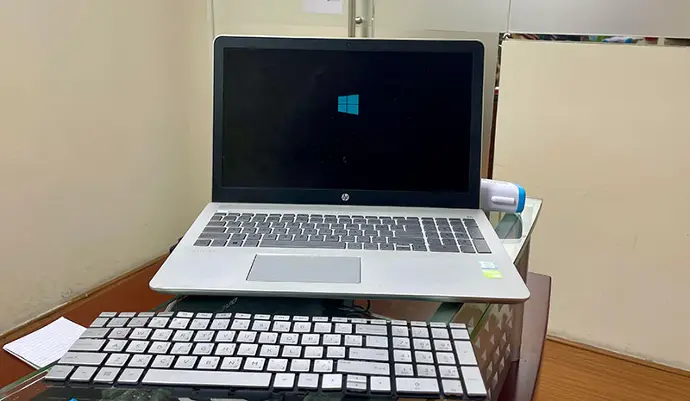
Laptop Keyboard Replacement - No Appointment Needed!
A faulty keyboard can bring your entire workflow to a halt. Whether you're dealing with sticky keys, unresponsive buttons, broken keycaps, or water damage, My Celcare JLT provides fast and affordable laptop keyboard repair in Dubai - backed by over a decade of trusted service since 2012.
Our technicians diagnose the exact cause of your keyboard issue - from damaged ribbon cables and worn-out key mechanisms to full keyboard failures caused by liquid spills. We use genuine OEM replacement parts to restore your keyboard to factory condition, with most repairs completed within 24 hours.
Over 1,009 customers have rated us 4.6 out of 5 on Google, and many return whenever a device needs attention - including laptop keyboard replacement. Our repair centre in JLT is right next to DMCC Metro Station - just walk in, no appointment needed. Or call 04 421 1494 and we'll give you a free quote over the phone.
Common Laptop Keyboard Problems We Fix
Sticky or Unresponsive Keys
Keys that stick, feel mushy, or fail to register when you press them. Dust, debris, or liquid residue under the keys usually causes this problem.
Keys Registering Wrong Characters
You type one letter but a different character appears on screen. A damaged membrane or faulty keyboard controller typically causes this.
Water-Damaged Keyboard
Spilled water, coffee, or any liquid on your keyboard? Quick action is critical. We clean, dry, and repair or replace water-damaged keyboards.
Broken or Missing Keys
Individual keycaps that have popped off, cracked, or gone missing. We replace single keys or the entire keyboard depending on the damage.
Keyboard Backlight Not Working
Your backlit keyboard has gone dark or flickers? We identify whether the LED strip, cable, or controller is at fault and fix it accordingly.
Faulty Ribbon Cable
The ribbon cable connects your keyboard to the motherboard. A loose or damaged cable can cause intermittent key failures or a completely dead keyboard.
Ghost Typing / Keys Typing on Their Own
Random characters appear without anyone touching the keyboard. A short circuit, moisture, or a failing keyboard membrane usually triggers this.
Keyboard Completely Dead
No keys respond at all. This can be a total keyboard failure, motherboard connector issue, or severe internal damage. We diagnose for free.
Should You Repair or Replace Your Laptop Keyboard?
Not every keyboard problem needs a full replacement. Sometimes a quick repair saves you time and money. Here's how to decide which option suits your situation.
When Repair Makes Sense
- Only one or two keys are sticky, loose, or unresponsive
- A keycap has popped off but the underlying mechanism is intact
- The ribbon cable is loose or slightly damaged
- Dust or debris buildup is causing keys to stick
- Backlight stopped working but all keys still function
When Full Replacement Is Better
- Multiple keys have failed or the entire keyboard is dead
- Liquid spill caused widespread corrosion on the membrane
- Ghost typing persists after cleaning and software resets
- Physical damage to the keyboard frame or mounting points
- Repeated repairs on the same keyboard within a short period
| Factor | Repair | Full Replacement |
|---|---|---|
| Cost | AED 150 - 250 | AED 299 - 550 |
| Turnaround Time | 1 - 4 hours | Same day - 48 hours |
| Best For | Single-key issues, loose cables | Widespread failure, water damage |
| Parts Used | Individual keycaps, cables | Complete OEM keyboard unit |
| Warranty | 6 months | 6 months |
| Longevity | Good for isolated issues | Like-new keyboard performance |
Not sure which option you need? Call 04 421 1494 or WhatsApp us for a free diagnostic - our technicians will inspect your keyboard and recommend the most cost-effective solution.
What to Do Immediately After a Keyboard Water Spill
Acting fast after a liquid spill can save your keyboard - and your motherboard. Follow these steps immediately.
Power Off Immediately
Press and hold the power button until the laptop shuts down completely. Do not attempt a normal shutdown - every second counts when liquid is near electronics.
Disconnect Power and Remove the Battery
Unplug the charger and remove the battery if your laptop allows it. This prevents short circuits from damaging the motherboard and other components.
Flip the Laptop Upside Down
Open the laptop to a V shape and turn it upside down on a clean towel. This lets gravity pull the liquid away from the motherboard and internal components.
Blot - Do Not Wipe
Use a lint-free cloth or paper towel to gently blot any visible liquid. Wiping can push the liquid further into the keyboard and spread the damage.
Do Not Use a Hair Dryer or Rice
Heat from a hair dryer can warp components and push moisture deeper inside. Rice does not absorb moisture effectively and leaves starch particles that cause more damage.
Bring It to My Celcare JLT Within 24 Hours
The sooner a professional cleans and dries the internals, the higher your chances of saving the keyboard and motherboard. WhatsApp us for immediate guidance or walk in - no appointment needed.
Laptop Keyboard Repair Dubai Price
| Repair Type | Common Brands | Description | Price |
|---|---|---|---|
| Single Key Replacement | All brands | Individual keycap or key mechanism replacement | AED 150 |
| Full Keyboard Replacement (Standard) | Dell, HP, Lenovo, Acer, Asus | Complete keyboard unit replacement for standard laptops | AED 299 |
| MacBook and Premium Laptop Keyboard Replacement | MacBook Air, MacBook Pro, Surface | Full keyboard replacement for MacBook and premium ultrabook models | AED 550 |
| Gaming Laptop Keyboard Replacement | Razer, MSI, Alienware, ROG | Full keyboard replacement for gaming laptops with RGB and mechanical keys | AED 399 |
| Water-Damaged Keyboard Repair | All brands | Cleaning, drying, and repair of liquid-damaged keyboards | AED 399 |
| Keyboard Backlight Repair | All brands | Fix or replace non-working keyboard backlighting | AED 250 |
| Ribbon Cable Replacement | All brands | Replace damaged keyboard ribbon cable connection | AED 199 |
* Prices are starting from and may vary based on laptop brand and model. Final cost confirmed after free diagnostic.
Quick DIY Fixes Before Visiting a Repair Shop
Before you bring your laptop in, try these safe troubleshooting steps at home. If the problem persists, our technicians can take over.
Sticky or Slow Keys
- •Turn off the laptop and use compressed air to blow debris from under the keys.
- •Dampen a cotton swab with isopropyl alcohol (90%+) and gently clean around the affected keys.
- •Check Windows Sticky Keys or Mac Slow Keys settings - these accessibility features can mimic hardware faults.
Keys Not Responding
- •Restart your laptop - a temporary software glitch can disable keys.
- •Open Device Manager (Windows) and uninstall the keyboard driver, then restart. Windows will reinstall it automatically.
- •Connect an external USB keyboard to confirm whether the issue is hardware or software.
Wrong Characters Appearing
- •Check your language and keyboard layout settings - an accidental switch to a different layout is the most common cause.
- •Make sure Num Lock is turned off, as it can remap letter keys to numbers on some laptop models.
Keyboard Backlight Not Working
- •Press the backlight toggle key (usually Fn + a function key with a keyboard icon).
- •Update your keyboard driver and BIOS - outdated firmware can disable backlighting.
- •Check your laptop's keyboard settings app (e.g., Dell Command, Lenovo Vantage) for backlight timeout settings.
Ghost Typing or Random Key Presses
- •Shut down the laptop and clean the keyboard surface thoroughly - trapped moisture or residue can cause phantom inputs.
- •Boot into Safe Mode to rule out malware or rogue software triggering keystrokes.
- •If the problem continues, the keyboard membrane or controller is likely failing and needs professional repair.
Select your Laptop for Keyboard Repair
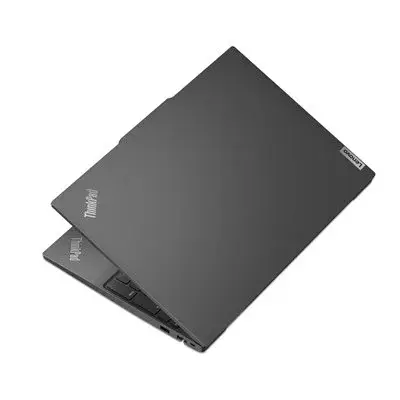
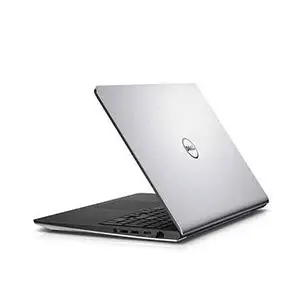
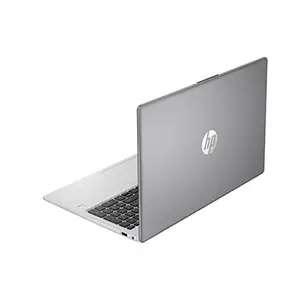
Why Choose My Celcare JLT?
Since 2012, My Celcare JLT has repaired thousands of laptop keyboards across Dubai - from a student's sticky HP Pavilion to a professional's MacBook Pro with water damage. Here is what makes us different:
- ✓ Free diagnostic, always. We inspect your keyboard, ribbon cable, and motherboard connector before quoting. You only pay for what your device actually needs.
- ✓ Genuine OEM keyboard parts. Same layout, same key travel, same backlight as your original keyboard. No third-party substitutes.
- ✓ Most repairs within 24 hours. Common keyboard models are kept in stock for same-day turnaround.
- ✓ 6-month warranty on all keyboard repairs. Covers both parts and workmanship.
- ✓ Flexible payment. Pay by cash, card, bank transfer, Tabby, or Tamara (0% installments over 3-4 months).
- ✓ Free pickup and delivery across Dubai. We collect your laptop and return it repaired - no need to visit the store.
- ✓ 1,009+ Google reviews, 4.6/5 rating. The most reviewed laptop repair center in JLT.
Other Repair Services
What Our Customers Say
"It was a shocking moment when I broke my laptop screen. Thanks! My CelCare JLT that fixed my laptop screen and hinges within 4 hours. I appreciate their expertise and highly recommend them for laptop repair."
"I am very happy with their service! One day I woke up and suddenly saw that the laptop screen was showing lines. This was a big surprise move for me as I rely on my laptop a lot. They very dutifully picked up my damaged laptop from my home and repaired and delivered it on time. I highly recommend My CelCare for laptop screen repair they provide the fastest service in Dubai."
"I had my laptop screen repaired at this shop and I am very satisfied with the service. The repair was done very quickly, the price was fair, and the overall service was professional and friendly."
Frequently Asked Questions
Most laptop keyboard fixes are completed within 24 hours at our JLT repair center. If your specific keyboard model needs to be ordered, we let you know upfront and it typically arrives within 1 to 2 business days.
Yes. Yes. A quick laptop keyboard fix - such as replacing a single keycap, reseating a loose ribbon cable, or cleaning a sticky mechanism - often avoids the need for a full replacement. Our technician inspects and recommends the most cost-effective option.
Yes. Yes. Every laptop keyboard installation at My Celcare JLT uses genuine OEM parts - the same quality components fitted when your laptop left the factory. We never use third-party substitutes.
Immediately power off the laptop, remove the battery if possible, and do not try to turn it on again. Bring it to our Dubai repair center as quickly as possible. Water-damaged keyboards can often be repaired if addressed early.
Yes. We repair and replace keyboards for Dell, HP, Lenovo, Asus, Acer, Samsung, Sony, Toshiba, MSI, Microsoft Surface, MacBook, and LG laptops in Dubai.
Yes. All laptop keyboard repairs and replacements at My Celcare JLT come with a 6-month warranty covering both parts and workmanship. If any issue arises from our repair within 6 months, we fix it at no charge.
In most cases, yes. We stock parts for popular Dell, HP, Lenovo, and Asus models, so a same-day laptop keyboard change is possible for many devices. Call or WhatsApp us with your brand and model to confirm availability before visiting.
In most cases, yes. Fitting a new laptop keyboard starting from AED 150 is far cheaper than buying a new device. If the rest of your laptop runs well, it gives the machine years more life. Our technicians assess the overall condition and give you an honest recommendation.
Yes. We offer free pickup and delivery across Dubai for laptop keyboard repairs. Call us at 04 421 1494 or WhatsApp us to schedule a collection from your home or office.
Yes. We accept Tabby and Tamara for 0% interest installments over 3 to 4 months. You can also pay by cash, card, or bank transfer.
If only a few keys are sticky and the issue started gradually, cleaning often resolves it. If multiple keys have failed suddenly, keys type the wrong characters, or you had a liquid spill, a full laptop keyboard replacement is usually the better long-term solution. Bring it in for a free diagnostic and we'll tell you exactly what your keyboard needs.
This is called ghost typing. It is usually caused by a short circuit, moisture under the keyboard membrane, or a failing keyboard controller. Try booting into Safe Mode to rule out software causes. If the problem persists, a professional laptop keyboard repair is needed to stop it permanently.
Yes. We handle gaming laptop keyboard replacement for Razer, MSI, Alienware, Asus ROG, and Lenovo Legion models. We source OEM parts with RGB backlighting and mechanical switches that match your original specifications exactly.
