Laptop Overheating in Dubai: Why It Happens More Here and How to Fix It
By My Celcare JLT | Published | Updated
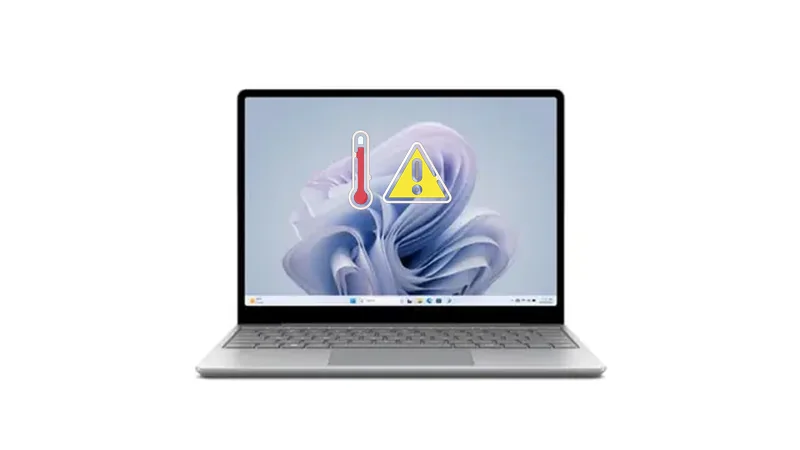
Dubai is one of the toughest environments in the world for laptops. Summer temperatures regularly hit 45 degrees Celsius. Car interiors climb past 70 degrees within minutes. Fine desert dust works its way into every vent and fan blade. And humidity levels above 80 percent create condensation inside your machine every time you walk from an air-conditioned building into the outdoor heat.
Most laptops are built to operate between 10 and 35 degrees Celsius. That means for roughly six months of the year, the ambient temperature in Dubai already exceeds what your laptop was designed to handle - before it even generates its own heat.
This guide covers exactly why laptops overheat faster in Dubai than almost anywhere else, how to spot the warning signs before real damage occurs, and what you can do today to protect your machine.
Why Dubai is Uniquely Hostile to Laptops
Laptop cooling systems work on a simple principle: internal fans pull in cooler ambient air, pass it over heat sinks attached to the CPU and GPU, and push the hot air out through vents. The bigger the difference between the component temperature and the incoming air temperature, the more effective the cooling.
In a 22-degree office in London or New York, that system works perfectly. In Dubai, it faces three simultaneous problems that no other major city combines quite the same way.
Extreme Ambient Heat
When the air outside your laptop is already 40 to 48 degrees Celsius, the cooling system has almost no thermal headroom. The fans spin at full speed trying to move air that is already hot. The CPU, which generates 85 to 100 degrees under heavy load, has nowhere to dump its heat. The result is thermal throttling - your processor deliberately slows itself down to prevent physical damage.
During peak summer months from June through September, outdoor temperatures in Dubai consistently exceed the maximum ambient operating temperature of every consumer laptop on the market.
Fine Desert Dust and Sand
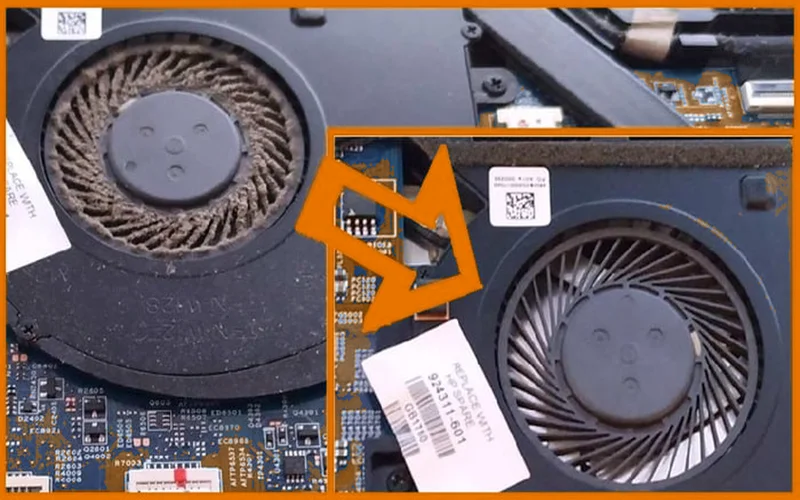
Dubai dust is not ordinary household dust. It contains extremely fine silica particles from the surrounding desert that are smaller than the dust found in most cities. These particles pass through fan vents that would block larger debris and settle on heat sinks, fan blades, and circuit boards.
Over time, this dust acts as an insulating blanket over the heat sink. Instead of transferring heat to the air, the CPU bakes under a layer of compacted dust. During shamal wind season, which peaks between June and August, the concentration of airborne particles increases dramatically. Laptops used near open windows or outdoors during this period accumulate dust at two to three times the normal rate.
Humidity and Condensation
Dubai humidity regularly exceeds 80 percent, especially during summer mornings and evenings. This creates a problem that almost no other overheating guide addresses: internal condensation.
When you carry a laptop from a 20-degree air-conditioned office into 45-degree outdoor heat, the rapid temperature change causes moisture to condense on the cooler internal components - exactly the way a cold glass of water sweats in the heat. This micro-moisture settles on the motherboard, corrodes solder joints over time, and weakens the electrical connections that your laptop relies on.
The combination of heat, dust, and humidity makes Dubai one of the most demanding environments for laptop longevity in the world.
Warning Signs Your Laptop is Overheating
Overheating does not always announce itself with a dramatic shutdown. Most of the time, it creeps up gradually. Here are the signs to watch for, ranked from early warnings to critical alerts:
Early Warnings
- Fans running louder than usual - The fans ramp up to compensate for rising temperatures. If your laptop sounds like a jet engine during basic tasks like browsing or email, the cooling system is struggling.
- Keyboard and palm rest feel warm - A slight warmth is normal under load. Noticeable heat during light tasks is not.
- Battery draining faster than expected - Heat forces the battery to discharge faster and reduces its overall capacity over time.
Serious Warnings
- Noticeable slowdowns during normal use - This is thermal throttling in action. Your CPU reduces its clock speed to lower heat output, and everything slows down.
- Screen flickering or graphical glitches - The GPU is overheating and producing rendering errors.
- Programs freezing or crashing - Sustained high temperatures cause instability in both the CPU and RAM.
Critical Alerts
- Sudden shutdowns without warning - The system hits its thermal limit and shuts down to prevent permanent damage. This is your last line of defense.
- Blue screen of death (BSOD) - Heat-related crashes can trigger system-level errors and potential data corruption.
- Burning smell from the vents - Stop using the laptop immediately. This indicates component damage or melting thermal pads.
The Hidden Dangers Most People Ignore
Many people treat overheating as an annoyance rather than a threat. That is a mistake. Chronic overheating in Dubai conditions causes real, permanent damage:
Battery swelling and fire risk. Lithium-ion batteries expand when exposed to sustained heat. A swollen battery pushes against the trackpad and keyboard, and in extreme cases, it can rupture or catch fire. Dubai summer temperatures accelerate this process significantly. If your battery is already bulging, you need a laptop battery replacement immediately.
Motherboard solder joint failure. The repeated cycle of heating and cooling causes solder joints on the motherboard to crack over time. This leads to intermittent connection failures, random crashes, and eventually permanent motherboard death.
Thermal paste degradation. The thermal paste between your CPU and heat sink dries out faster in hot environments. Once it hardens and cracks, the heat transfer efficiency drops dramatically - turning a manageable temperature into a dangerous one. In temperate climates, thermal paste lasts three to five years. In Dubai, expect two to three years at most.
SSD data corruption. NAND flash memory in SSDs is sensitive to sustained high temperatures. Prolonged overheating can cause read and write errors, and in severe cases, permanent data loss.
Reduced component lifespan. As a general rule, every 10 degrees above the recommended operating temperature roughly halves the lifespan of electronic components. A laptop that would last seven years in a cooler climate may fail in three to four years in Dubai without proper thermal management.
12 Proven Ways to Stop Your Laptop from Overheating in Dubai
1. Keep Your Room Temperature Below 25 Degrees Celsius
This is the single most effective thing you can do. Your AC unit is your laptop's best friend. Set it to 22 to 24 degrees Celsius when working. Every degree of ambient cooling translates directly to lower CPU temperatures.
2. Use a Cooling Pad
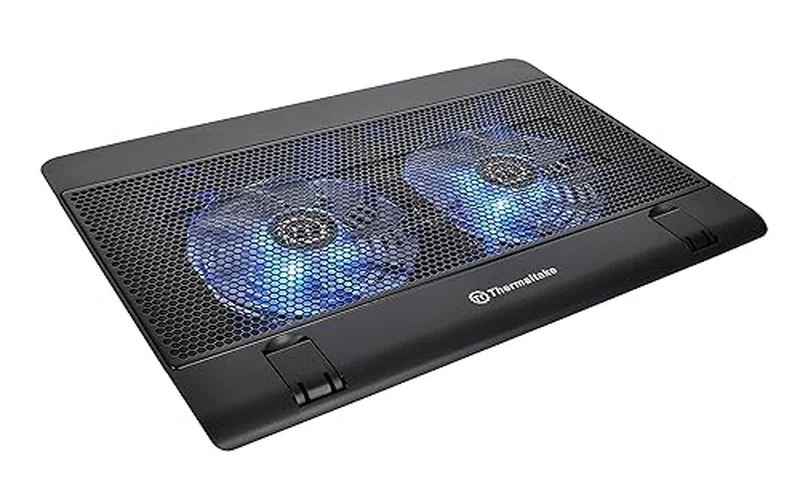
A quality cooling pad with adjustable fan speeds can lower laptop temperatures by 5 to 15 degrees Celsius. In Dubai, this is not a luxury - it is practically essential. Look for pads with metal mesh surfaces and at least two fans. Prices on Amazon.ae and Noon start from around AED 50 for basic models and go up to AED 200 for premium options with multiple fan zones.
3. Elevate Your Laptop on a Hard Surface
Never use your laptop on a bed, pillow, sofa, or carpet. Soft surfaces block the bottom vents and trap heat underneath. Use a desk or table, and prop the rear of the laptop up by a centimetre or two using a laptop stand or even a book. The goal is to create airflow space underneath.
4. Clean Your Vents and Fans Every 3 Months
This is the maintenance schedule that makes sense for Dubai. Use a can of compressed air to blow dust out of the vents. Point the nozzle at an angle so you push dust out rather than deeper inside. For a deeper clean, take the back panel off (if your model allows it) and clean the fans and heat sink directly.
During sandstorm season from June to August, increase cleaning frequency to every two months. If you work near open windows or outdoors frequently, monthly cleaning is better.
5. Replace Thermal Paste Every 2 to 3 Years
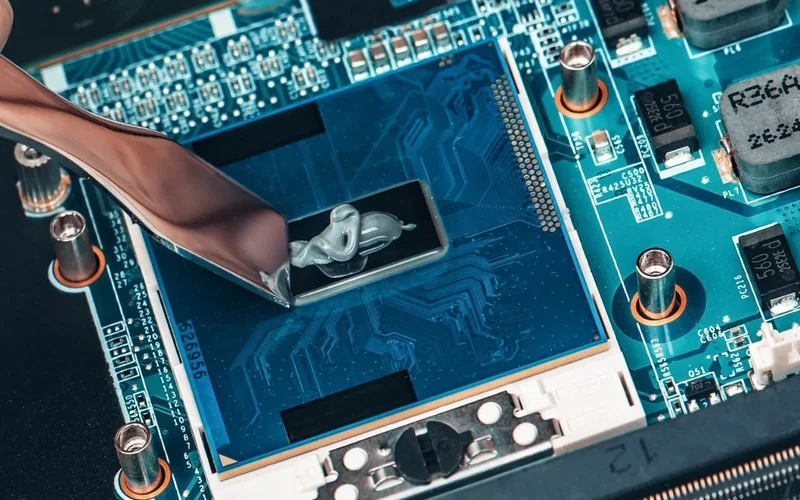
Thermal paste is the compound between your CPU and the heat sink that transfers heat. In Dubai, it dries out and loses effectiveness faster than in cooler climates. Fresh thermal paste can drop CPU temperatures by 10 to 20 degrees Celsius - a dramatic improvement.
If you are not comfortable doing this yourself, a professional laptop repair service in Dubai can handle it. At My Celcare JLT, thermal paste replacement starts from AED 99 and takes same-day completion.
6. Switch to Power Saver Mode When Not on AC Power
Power Saver or Balanced mode reduces the maximum clock speed of your CPU and GPU, which directly lowers heat output. In Windows, go to Settings, then System, then Power and Battery, and select Best Power Efficiency. On macOS, reduce performance through the Battery settings. You lose some performance, but the temperature drop is significant.
7. Close Background Apps and Browser Tabs
Every running process generates heat. Open Task Manager on Windows (Ctrl + Shift + Esc) or Activity Monitor on Mac and sort by CPU usage. Close anything you are not actively using. Chrome is notorious for consuming CPU resources - if you have 30 tabs open, close the ones you do not need.
8. Update Your BIOS and Drivers
Laptop manufacturers regularly release BIOS updates that improve fan curve behaviour and thermal management. Updated GPU and chipset drivers also optimize power consumption. Check your manufacturer support page monthly - HP laptops, Dell laptops, and Lenovo laptops all have dedicated driver download tools that make this easy.
9. Monitor Temperatures with Software
Install a temperature monitoring tool so you can see exactly how hot your laptop runs. HWMonitor and Core Temp work well on Windows. Intel Power Gadget is useful for Intel-based Macs. These tools show real-time CPU and GPU temperatures and alert you before things get dangerous. Aim to keep your CPU below 85 degrees Celsius under load.
10. Use an Original or Certified Charger
Third-party chargers, especially cheap unbranded ones, can deliver inconsistent voltage that generates excess heat in the charging circuit and battery. This is particularly important for devices like the Microsoft Surface Pro that use proprietary charging connectors. Always use the charger that came with your laptop or a certified replacement from the manufacturer.
11. Manage the AC-to-Outdoor Transition
This tip is specific to Dubai and hot climates. When moving your laptop from an air-conditioned space to outdoor heat, shut it down first and let it adjust to the temperature change for 10 to 15 minutes inside an insulated laptop sleeve or bag. This prevents the sudden temperature shock that causes internal condensation.
When returning indoors, the same principle applies - let the laptop cool gradually before powering it on.
12. Protect Your Laptop During Sandstorms
When a sandstorm warning is issued, close all windows and keep your laptop away from any source of drafts. If you must transport your laptop during a sandstorm, use a sealed laptop sleeve. After the storm passes, blow out the vents with compressed air before using the laptop. Sandstorm particles are finer than regular dust and can penetrate vents that normally keep debris out.
Never Leave Your Laptop in a Car in Dubai
This deserves its own section because the consequences are severe and the mistake is extremely common.
A parked car in direct Dubai sunlight reaches 60 to 70 degrees Celsius inside within 30 minutes. The dashboard surface can exceed 90 degrees. No laptop is built to survive these temperatures. Here is what happens:
- Battery swelling - The lithium-ion battery expands and can rupture, creating a fire risk
- Screen damage - LCD and OLED panels warp and develop dead spots at extreme temperatures
- Motherboard warping - The PCB can physically bend, cracking solder connections
- SSD data loss - NAND flash cells degrade rapidly above 70 degrees, risking permanent data corruption
- Plastic housing deformation - The chassis can warp, misaligning ports and hinges
Always carry your laptop with you or leave it in a climate-controlled environment. If you absolutely must leave it in the car for a short period, place it in the trunk (which is slightly cooler), cover it with a reflective sunshade, and retrieve it as quickly as possible. Even five minutes on a dashboard in July can cause damage.
When You Need Professional Laptop Repair
If you have tried the fixes above and your laptop still overheats, the problem is likely internal and requires professional attention. Here are the signs that it is time to visit a repair centre:
- Fans spin at full speed constantly, even at idle
- Thermal shutdowns happen regularly despite a cool room
- The bottom of the laptop is visibly bulging (battery swelling)
- You hear grinding or clicking from the fan area
- Temperature monitoring shows CPU idle temps above 60 degrees Celsius
Common professional repairs for overheating include:
| Service | Estimated Cost (AED) |
|---|---|
| Deep internal cleaning | AED50 - 150 |
| Thermal paste replacement | AED99 - 250 |
| Fan replacement | AED165 - 400 |
| Heat sink repair or replacement | AED200 - 500 |
| Motherboard repair (heat damage) | AED300+ |
At My Celcare JLT, we handle all of these services with same-day turnaround for most repairs. Our technicians work on HP, Dell, Lenovo, ASUS, Acer, MSI, Apple MacBook, iMac, Mac Pro, Microsoft Surface Pro, and all other major brands.
Monthly Maintenance Calendar for Dubai
Use this as a simple guide to keep your laptop healthy year-round in Dubai:
| Season | Months | Action |
|---|---|---|
| Cool | Nov - Mar | Clean vents every 3 to 4 months. Standard use - lowest risk period. |
| Warm | Apr - May | Summer prep. Deep clean fans. Check thermal paste. Set up cooling pad. |
| Hot | Jun - Sep | Clean vents every 2 months. Use cooling pad daily. Monitor temps. Avoid outdoor use. |
| Transition | Oct | Post-summer deep clean. Replace thermal paste if it has been 2+ years. |
The Bottom Line
Laptop overheating in Dubai is not a matter of if - it is a matter of when. The combination of extreme heat, fine desert dust, and high humidity puts every laptop at risk, regardless of brand or price point. Desktop machines like the iMac and Mac Pro face the same dust and heat challenges in Dubai environments.
The good news is that most overheating problems are preventable. Keep your room cool, clean your vents regularly, replace thermal paste before it dries out, use a cooling pad, and never leave your laptop in a car. These simple habits add years to your machine's life.
If your laptop already shows signs of chronic overheating - constant fan noise, thermal shutdowns, or sluggish performance in a cool room - bring it to a professional laptop repair centre in Dubai before the damage becomes permanent. Catching it early saves both your data and your wallet.
