MacBook Logic Board Repair for Data Recovery: How to Recover Files from a Dead MacBook
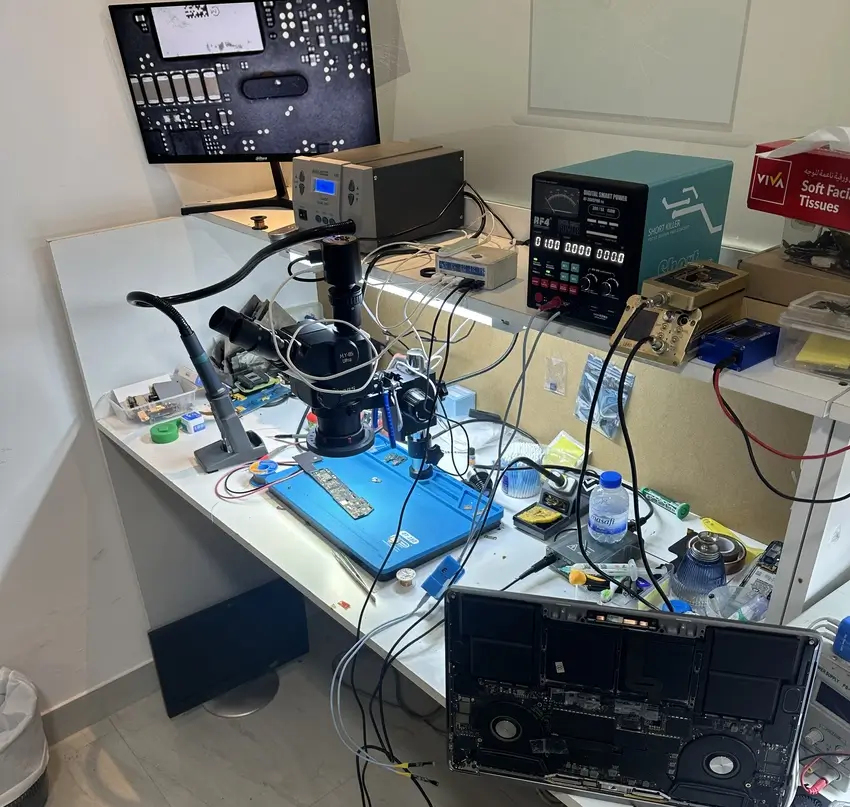
Your MacBook suddenly stops turning on, the screen stays black, or it refuses to start after liquid damage. The first concern is often not the cost of replacing the laptop. It is the important files, family photos, business documents, and projects stored inside.
A damaged logic board does not always mean your data is permanently lost. In many cases, MacBook logic board repair for data recovery can restore enough functionality to access and safely transfer your files without replacing the entire motherboard.
However, recovery depends on the MacBook model, the condition of its storage, and whether its encryption components are still functional.
This guide explains how MacBook logic board data recovery works, when it is possible, what to avoid, and how to choose a suitable repair service in Dubai.
What Is a MacBook Logic Board, and How Does It Affect Data Recovery?
The logic board is the main circuit board inside a MacBook. It connects and controls essential components, including the processor, memory, storage, charging circuits, and power management system.
When the logic board fails, your MacBook may stop working even though the files stored inside are still intact.
Common causes of logic board failure include:
- Liquid spills, moisture exposure, and corrosion.
- Electrical short circuits or damaged power components.
- Faulty charging or power management circuits.
- Overheating and component failure.
- Physical impact or damaged internal connections.
- Firmware-related startup problems.
The important distinction: A MacBook that cannot turn on does not necessarily have damaged storage. Sometimes, repairing a small circuit or replacing a faulty board-level component is enough to make the original MacBook operational and allow the technician to recover its data.
Can You Recover Data from a MacBook with a Damaged Logic Board?
Yes. Data recovery is possible in many cases, but not every damaged MacBook can be recovered. The chances depend on what failed and how the MacBook stores and encrypts its data.
| MacBook problem | Data recovery possibility |
|---|---|
| Faulty charging or power circuit | Often possible if storage is intact |
| Liquid-damaged logic board | Depends on corrosion and affected components |
| MacBook will not turn on | Possible if storage and essential hardware can be restored |
| Black screen with working MacBook | Files may still be accessible without board repair |
| Firmware corruption | May be recoverable through a non-erasing procedure |
| Physically damaged SSD or encryption hardware | Recovery may be difficult or impossible |
For example, a MacBook with a damaged power management circuit may not turn on. A technician may repair that circuit, start the computer, and transfer the files to an external storage device.
On the other hand, severe damage to storage or critical encryption hardware can make recovery impossible even after other board components have been repaired.
Why Data Recovery Is More Complicated on Modern MacBooks
Modern MacBook logic boards integrate storage and security components that can complicate traditional data recovery techniques.
Older MacBooks and newer Apple Silicon MacBooks have different storage architectures. Understanding the difference matters when deciding how to recover data.
Older Intel MacBooks with Removable Storage
Some older Intel-based MacBooks use removable SSDs or hard drives. If the logic board fails but the drive remains healthy, a technician may be able to remove the storage device and read it using compatible equipment. Encrypted drives still require the appropriate password or recovery key.
Intel MacBooks with the Apple T2 Security Chip
Many Intel MacBooks released from 2018 onward contain the Apple T2 Security Chip. These models use hardware-backed encryption that ties access to internal storage to security components in the original Mac.
Consequently, simply removing storage chips or replacing the logic board will not normally provide access to the original encrypted files.
Apple Silicon MacBooks: M1, M2, M3, M4 and Newer Models
Apple Silicon MacBooks integrate the processor, security architecture, and storage encryption more closely. Because internal storage is encrypted and linked to hardware security functions, recovering data from a failed Apple Silicon MacBook generally requires keeping critical components of the original hardware operational.
This is why repairing the original logic board is often more valuable than replacing it when data recovery is the priority. Apple confirms that Apple Silicon and T2-equipped Macs use hardware-backed encryption to protect internal storage.
How Does MacBook Logic Board Repair for Data Recovery Work?
Professional recovery usually follows a careful diagnostic process designed to minimise additional damage and preserve the original data.
Step 1: Initial Inspection and Diagnosis
The technician first identifies the MacBook model and checks its condition. The inspection may include:
- Checking for liquid damage or corrosion.
- Inspecting charging and power components.
- Measuring relevant board voltage rails.
- Looking for short circuits and damaged components.
- Determining whether the MacBook can access its storage.
The goal is to identify why the computer has stopped working before attempting repairs.
Step 2: Identify the Faulty Logic Board Components
Using appropriate diagnostic tools, a technician investigates faults in the power delivery, charging, or startup circuits. Potential repairs include replacing damaged capacitors, power-control components, or other faulty electronic components.
Board-level work requires specialised soldering equipment and technical knowledge. Improper repairs can cause additional damage and reduce the possibility of recovering data.
Step 3: Restore Essential Board Functionality
If the fault is repairable, the technician attempts to restore enough of the original board functionality to access the storage safely. The MacBook does not necessarily need to become fully functional again.
For data recovery, the priority is to establish reliable access to the files rather than restore every feature of the computer.
Step 4: Access and Copy the Data
Once storage becomes accessible, the technician can transfer recoverable files to a suitable external drive or another approved destination. Depending on the MacBook condition, this may involve a normal macOS startup, recovery environment, supported disk-sharing mode, or another appropriate non-erasing method.
An authorised user may need to provide their login password or FileVault recovery key to unlock encrypted storage.
Step 5: Verify the Recovered Files
After transferring the data, the technician should verify that important folders and files can be accessed. For example, customers may want to check documents, photographs, videos, desktop files, and project folders before the recovery is considered complete.
The recovery result depends on which files remain readable and whether the destination has enough available storage.
MacBook Logic Board Repair vs Replacement: Which Is Better for Data Recovery?
Replacing a faulty logic board can restore the operation of a MacBook, but it may not preserve the original files.
| Factor | Logic board repair | Logic board replacement |
|---|---|---|
| Original board | Retained | Replaced |
| Original storage | Usually retained | May be replaced or remain inaccessible |
| Data recovery opportunity | Often preferable | Can prevent access to original encrypted data |
| Main objective | Restore affected circuits | Restore computer functionality |
| Best option when files are critical | Assess first | Consider after data recovery options |
For newer MacBooks, replacing the original logic board before evaluating data recovery options can significantly reduce the chance of recovering files from the original hardware. If your files are more important than the laptop itself, tell the repair technician that data recovery must be attempted before any board replacement or data-erasing operation.
What Should You Do If Your MacBook Will Not Turn On?
Taking the right precautions can protect your MacBook from further damage.
- Stop repeated startup attempts. If there is a suspected short circuit or liquid damage, repeated attempts can make the situation worse.
- Disconnect the charger. Particularly if the MacBook was exposed to liquid, avoid supplying further power.
- Do not attempt random software fixes. Erasing the disk, resetting the Mac, or performing an inappropriate firmware restore may permanently destroy the data you want to recover.
- Check existing backups. Look for Time Machine backups, iCloud Drive documents, and other cloud storage copies.
- Explain your priorities to the technician. Clearly state that preserving your files is more important than making the MacBook work again.
Important: Firmware Revive Is Not the Same as Firmware Restore
On supported Macs, Apple provides a firmware Revive option that does not erase the Mac. A firmware Restore, however, erases it. Apple recommends trying a revive before a restore where firmware recovery is appropriate. This should not be confused with physical logic board repair, and a revive does not guarantee recovery from hardware failure.
If the data is critical, avoid a firmware restore unless your files have already been backed up or you accept the risk of permanent data loss.
Our Service Guidelines for MacBook Logic Board Repair and Data Recovery in Dubai
At My Celcare JLT, we understand that the information stored on your MacBook can be more valuable than the device itself.
Whether your MacBook Pro has stopped turning on or your MacBook Air has suffered liquid damage, our technicians can assess the logic board, identify possible repair options, and help you understand the chances of retrieving your important files.
Our Recommended Service Process
- Tell us your data is the priority. When contacting us, mention which files matter most and whether you already have a backup.
- Book a free diagnostic. Bring your MacBook to our JLT repair centre or arrange pickup within Dubai.
- Receive a clear assessment. Our technicians inspect the fault and explain the recommended repair or recovery approach, estimated cost, and expected timeline.
- Approve the repair. We discuss the proposed work before proceeding. Your data recovery priorities are taken into account when selecting an appropriate repair method.
- Arrange file transfer and verification. If recovery is successful, we can discuss a suitable storage destination and the transfer of your recoverable files.
Why Choose My Celcare JLT?
Our MacBook services include board-level fault diagnosis and repair, liquid damage assessment, and assistance with data recovery cases. Customers benefit from free initial diagnostics, transparent quotes, experienced technicians, and pickup and delivery options across Dubai. Repair feasibility and recovery results are confirmed only after inspection.
For other MacBook problems, explore our MacBook repair services in Dubai.
Visit Our MacBook Repair Centre in JLT, Dubai
My Celcare JLT
Gold Crest Executive Tower, Office 906, Cluster C, Jumeirah Lakes Towers, Dubai, UAE - near DMCC Metro Station.
Monday to Saturday, 9:00 AM to 8:00 PM. Contact us to book a free diagnosis.
Final Thoughts: Recover Your Data Before Replacing Your MacBook
A damaged MacBook logic board does not always mean your files are gone forever. In many cases, careful diagnostics and component-level repair can restore access to important data.
The most important decision is to prioritise data preservation before attempting a factory reset, erasing the storage, or replacing critical hardware.
If your MacBook will not turn on, has suffered liquid damage, or contains files you cannot afford to lose, contact My Celcare JLT for a free initial diagnostic and a professional assessment of your MacBook data recovery options in Dubai.
