Rice Does Not Fix Water Damaged iPhones - Here is What Works
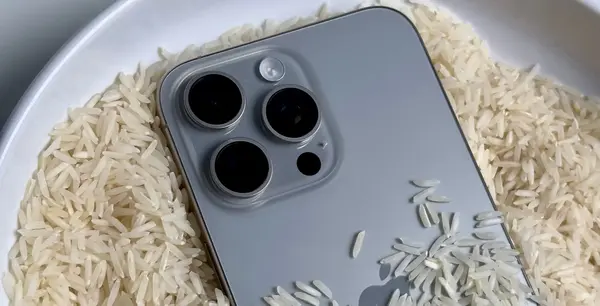
Key Takeaway
Apple officially warns against putting your iPhone in rice. Rice absorbs moisture too slowly to help, introduces starch dust into your ports, and wastes critical hours while corrosion destroys the logic board. The correct response is to power off the device immediately and bring it to a professional repair center. iPhones that arrive within a few hours of water exposure have a recovery rate above 90% at My Celcare JLT.
I have repaired over a thousand water damaged iPhones at My Celcare JLT in Dubai. Every single week, someone walks in holding a phone that spent the last two days buried in a bag of rice. Every single time, the damage inside is worse than it needed to be.
Rice does not repair electronics. It never has. As someone who opens these devices daily and sees the damage under a microscope, I can tell you exactly why this myth needs to end.
What your water damaged iPhone actually needs is a proper iPhone water damage solution - professional disassembly, ultrasonic cleaning, and board-level inspection. Not a kitchen ingredient sitting outside a sealed device doing absolutely nothing useful.
Apple Officially Warns Against Using Rice
This is not just my opinion as a technician. Apple itself published a support document that explicitly states: "Do not put your iPhone in a bag of rice. Doing so could allow small particles of rice to damage your iPhone."
Apple recommends unplugging all cables, tapping the phone gently against your hand with the connector facing down to remove excess liquid, and leaving it in a dry area with airflow. That is it. No rice. No hair dryer. No compressed air. The company that designed and built the device tells you not to use rice.
Yet the myth persists. People still reach for the rice bag first because it feels like a free, easy fix. Let me explain why it fails from a technical standpoint.
Why Does Everyone Think Rice Works?
The logic seems sound on the surface. Rice absorbs moisture, so people assume it pulls water out of a phone. I understand why the idea spread. It feels like a free, easy fix that anyone can try at home.
Rice Cannot Reach Trapped Water
Here is what that logic misses. Your iPhone is not an open container. It is a tightly sealed device packed with components stacked in layers, shielded by metal brackets, and connected by micro-soldered joints smaller than a grain of sand.
Water that enters through the charging port, speaker mesh, or SIM tray gets pulled by capillary action deep between the logic board and the EMI shields, under BGA chips, and into connector housings. A bag of rice sitting on the outside of the phone has zero ability to reach any of that moisture.
I have tested this myself. Rice left in contact with an iPhone for 48 hours removes less moisture than simply leaving the phone on a table in open air.
The Gazelle Study: Rice Performed Worst
In a controlled laboratory test, electronics trade-in company Gazelle tested seven different drying agents by placing pre-weighed wet sponges in sealed containers. The results were clear: conventional rice was the worst performer of all seven agents tested. It ranked below silica gel, cat litter, couscous, instant oatmeal, classic oatmeal, and instant rice.
The most surprising finding? A sponge left in open air outperformed every single drying agent, including silica gel. Shaking and blowing water out of the phone first matters far more than any drying agent you place it next to.
Corrosion Starts While Rice Sits Idle
Meanwhile, the clock is ticking. Within the first few hours, water begins attacking the solder joints and copper traces on the iPhone motherboard. The minerals dissolved in that water - calcium, chlorine, sodium - act as conductors that create micro short circuits between components.
By hour 12, I typically see green oxidation forming on the board. By 48 hours - the standard rice treatment time - corrosion has often spread across multiple IC chips and connector pins. That is damage that did not need to happen.
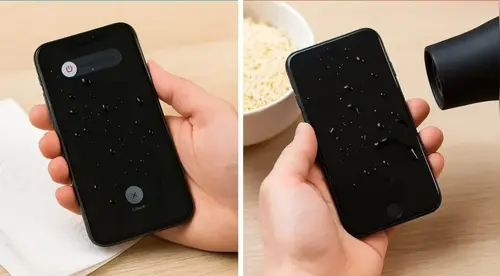
What Really Happens When Your iPhone Gets Wet
Most people think water damage means the phone gets wet and stops working. The reality is far more complex. Understanding it is the key to knowing why speed matters and rice does not.
Short Circuits and the Corrosion Chain Reaction
When water enters your iPhone, it immediately starts interacting with the electrical current on the logic board. Even if you turned the phone off, residual charge in the capacitors keeps certain circuits active. The dissolved minerals in the water bridge connections that should never touch, causing micro short circuits.
These shorts generate heat at specific points on the board, which accelerates corrosion even further. I have seen logic boards where a single drop of pool water caused a chain reaction that damaged the power management IC, the tristar charging chip, and the NAND storage - all from one small entry point.
The Corrosion Timeline
How fast corrosion spreads inside a wet iPhone - hour by hour:
- Under 30 minutes: Water travels via capillary action across the logic board. Micro short circuits begin forming at active circuit nodes. If a technician disconnects the battery at this stage, recovery rate is above 95%.
- 1 hour: Mineral deposits from the water start bonding to solder joints and copper traces. The board is actively corroding. If the battery has not been disconnected, every minute of residual charge is accelerating the damage. Rice placed around the phone at this point is doing absolutely nothing to stop this process.
- 2 hours: Visible oxidation begins forming around connector pins and EMI shield edges. The charging IC, power management chip, and audio circuits are commonly affected at this stage. A professional clean at this point can still save most components, but the repair is more complex than it would have been at 30 minutes.
- 6 - 12 hours: Green corrosion spreads across solder joints. Mineral residue becomes conductive enough to cause permanent component failure. Camera modules, Face ID sensors, and the NAND storage chip are at serious risk. This is typically when phones stop powering on entirely.
- 12 - 24 hours: Corrosion reaches IC chips, BGA solder balls, and flex cable contacts. Component failure is now likely, not just possible. Repairs at this stage require micro-soldering and part replacement in addition to cleaning.
- 24 - 48 hours in rice: The phone has been sitting in a bag of rice that could not reach a single drop of internal moisture. Meanwhile, corrosion has spread across multiple circuits. The rice has added starch dust to the charging port. Recovery is possible but expensive - multiple components typically need replacing.
- 48+ hours: Severe board-wide corrosion. The logic board may be unsalvageable. At this stage, data recovery becomes the priority over device recovery. This is the outcome rice produces when people follow the myth.
The single most important action you can take: power off the device immediately and bring it to a repair centre. Disconnecting the battery stops the corrosion process. Rice does not.
Even after the visible water evaporates, the minerals stay behind as a white or green residue. This residue is conductive and corrosive. It continues eating through solder joints and copper traces for days and weeks after the initial exposure. That is why phones that seem fine after drying out suddenly develop problems a week or a month later.
Common iPhone Water Damage Symptoms
These are the symptoms I see most often from water damaged iPhones:
- Phone refuses to power on or boot-loops on the Apple logo
- Screen flickering, ghost touches, or display lines without physical impact
- Charging stops working or the phone only charges intermittently
- Speaker and microphone output becomes muffled or cuts out during calls
- Camera lens fogs up internally or the rear camera shows a black screen
- Face ID or Touch ID stops recognizing the owner
- Battery drains rapidly even when the phone is idle
- Random restarts or overheating during normal use
Every one of these symptoms points to corrosion on a specific circuit path inside the phone. I can usually identify the affected area within minutes of opening the device. Rice cannot do that.
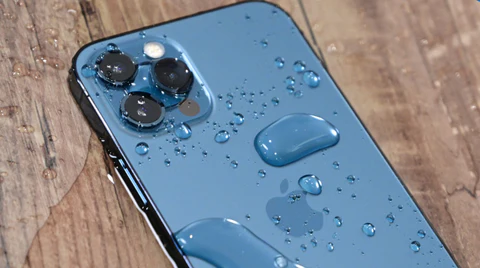
Rice Actually Makes Things Worse
This is the part that frustrates me the most as a technician. Rice does not just fail to help - it actively creates new problems that I then have to deal with on the repair bench.
Starch Dust Clogs Ports and Speakers
Rice produces fine starch dust. When you bury your iPhone in a bag of it, that dust works its way into every opening - the charging port, the speaker grilles, the microphone holes, the SIM tray gap.
I have pulled rice starch out of charging ports with a dental pick more times than I can count. That residue hardens over time, especially in Dubai heat, and blocks the charging pins from making clean contact. I have seen phones come in for water damage repair that also needed a port cleaning or replacement purely because of the rice treatment.
The 48-Hour Time Trap
The real danger is the time rice wastes. Most people leave their phone in rice for one to two full days. That is 24 to 48 hours of uninterrupted corrosion spreading across the logic board.
Recovery rates from My Celcare JLT: iPhones that arrive within a few hours of water exposure recover above 90% of the time. iPhones that sat in rice for two days drop to roughly 50%, and many of those need expensive board-level repairs that prompt treatment would have prevented.
That 48-hour rice window is not free. It costs people their phones and their data.
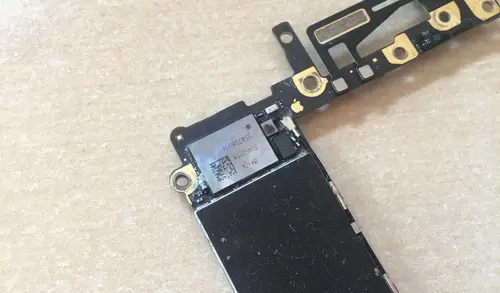
Your iPhone IP Rating Does Not Mean Waterproof
Many people assume their iPhone is waterproof because it has an IP68 rating. That assumption leads them to take risks they should not take, and then reach for the rice bag when things go wrong.
Here is what IP68 actually means. Apple tests iPhones under controlled laboratory conditions using still, clean, fresh water at a specific depth for a specific duration. The iPhone 15 and 16 series are rated for submersion in up to 6 meters of fresh water for 30 minutes under those ideal conditions.
Real-world exposure is completely different. Pool water contains chlorine that attacks metal components aggressively. Sea water contains salt that corrodes copper traces in hours. Soap, shampoo, and detergent lower the surface tension of water, allowing it to penetrate seals that would block plain water. Pressurized water from a shower or faucet can force past gaskets designed for static submersion.
Apple also states clearly that water resistance is not a permanent condition and can decrease through normal wear. Drops, bumps, and even temperature cycling over months gradually degrade the adhesive seals around the display and charging port. A two-year-old iPhone is significantly less water resistant than a new one, even if it has never been dropped.
If your iPhone gets wet and shows any symptoms - regardless of its IP rating - treat it as water damage. Do not assume the rating protected you.
What You Should Do Instead
After years of handling these cases, I always give the same advice. Forget the rice. Forget the hair dryer. Forget leaving it in the sun. These home remedies either do nothing or cause additional thermal and particulate damage. Here is exactly what to do.
Follow these steps immediately:
- Power off the iPhone immediately. Do not try to charge it. Do not plug in a cable to check if it still works. Do not press the home or side buttons repeatedly. Any electrical activity while water is on the board accelerates short circuits.
- Hold the phone with the charging port facing down and shake it gently to drain water from the port and speaker cavities. Gravity is more effective than rice at this stage.
- Wipe the exterior dry with a lint-free cloth. Do not insert anything into the ports - no cotton swabs, no tissue paper, no compressed air.
- Do not use a hair dryer or place it in direct sunlight. Heat can warp internal adhesives, damage the battery, and push moisture deeper into the device.
- Bring it to a qualified repair center immediately. The faster a technician can open the device, disconnect the battery from the board, and begin professional cleaning, the higher the chance of a full recovery. Every hour matters.
What NOT to do:
- Do not put it in rice - starch dust clogs ports, and it wastes critical time
- Do not use a hair dryer - heat pushes moisture deeper and damages adhesives
- Do not charge the phone - electrical current on a wet board causes immediate short circuits
- Do not shake it aggressively - this can spread water to areas it had not yet reached
- Do not wait and hope it dries on its own - the water evaporates but the corrosive minerals stay behind
Check Your iPhone's Liquid Contact Indicator
Most iPhone owners have never heard of the Liquid Contact Indicator, yet it is one of the most useful tools for understanding how serious your water damage actually is. Apple builds a small LCI into every iPhone - it is a tiny dot inside the SIM card tray slot that turns permanently red or pink when it comes into contact with liquid.
Here is how to check it right now. Eject your SIM tray using the tool that came with your iPhone or a straightened paperclip. Shine a torch into the SIM slot and look for a small oval or circular indicator. If it is white or silver, water has not yet reached that depth inside the phone. If it is red or pink, liquid has penetrated the internal housing and your phone needs professional attention regardless of whether it appears to be working normally.
What the LCI colour tells you:
- White or silver: No liquid contact at this point. The water may not have penetrated deeply, but still power off and seek professional assessment if the phone got wet.
- Light pink: Low-level moisture exposure. Possible condensation or brief splash contact. Power off immediately and bring it in for inspection.
- Bright red or dark red: Significant liquid contact confirmed. The device needs professional cleaning and board inspection as soon as possible.
Note: Apple uses the LCI state to determine warranty and AppleCare coverage. A triggered LCI means liquid damage is not covered under the standard warranty, which is why getting a professional repair on record matters.
The LCI gives you and your technician immediate, objective information before the device is even opened. It takes less than 30 seconds to check and costs nothing. Do it before you do anything else.
Use iPhone's Built-In Water Eject Feature for the Speaker
The Apple Watch has a dedicated Water Lock mode that ejects water from the speaker using low-frequency vibrations. iPhones do not have an official equivalent, but there is a shortcut that does the same thing - and most iPhone owners have no idea it exists.
The Water Eject shortcut plays a continuous 165Hz tone that causes the speaker membrane to vibrate rapidly, pushing trapped water droplets out of the speaker grille and partially clearing the charging port area. Here is how to use it:
How to eject water from your iPhone speaker:
- Open the Shortcuts app on your iPhone (pre-installed on iOS 13 and later).
- Tap the Gallery tab and search for "Water Eject".
- Add the shortcut to your library and run it.
- Alternatively, ask Siri: "Water Eject" and it will run automatically if the shortcut is installed.
- Hold the phone with the speaker facing downward while the tone plays. You will see visible water drops expelled from the grille.
Three important things to understand about this feature. First, it only clears the speaker grille and the immediate port area - it cannot remove water from inside the device or from the logic board. Second, only attempt this if the phone is still responsive and you have not yet powered it off - if it is off, leave it off. Third, do not plug the phone in to charge before or after running this shortcut. The goal is to remove surface water from the speaker before bringing it to a repair technician, not to dry the device internally.
Running the water eject shortcut takes about 15 seconds and can prevent the speaker from blowing out or developing permanent muffling - a common side effect of trapped water in the speaker cavity that many people do not notice until days later.
Professional iPhone Water Damage Repair - What Does It Involve?
People are often surprised at the level of detail that goes into a proper water damage repair. It is not a quick rinse and reassemble. Here is the exact process we follow at My Celcare JLT.
Battery Disconnect and Full Disassembly
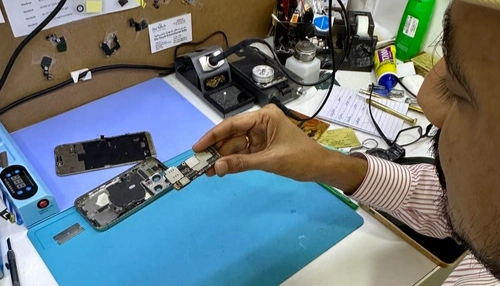
The first thing I do when a water damaged iPhone arrives is disconnect the battery. That stops all electrical current and halts the corrosion process immediately. From there, we fully disassemble the device, removing the display, cameras, speakers, taptic engine, and every cable and bracket.
Board-Level Inspection Under Magnification
I use a stereo microscope to examine the logic board surface, checking every IC chip, connector, and solder joint for signs of corrosion, discoloration, or mineral deposits. Water damage leaves very specific patterns that tell me exactly where the liquid traveled and which circuits were affected. This diagnosis determines the entire repair plan.
EMI Shield Removal and Ultrasonic Cleaning
Next, we remove all EMI shields from the board. Most repair shops skip this step because it requires micro-soldering skill, but the worst corrosion almost always hides underneath these metal covers. If you do not remove them, you miss the damage entirely.
Once the board is fully exposed, it goes into our ultrasonic cleaning machine with a specialized PCB cleaning solution. The ultrasonic waves create microscopic cavitation bubbles that blast corrosion and mineral residue off the board at a level no manual cleaning can match.
Component Replacement and Full Function Testing
After the ultrasonic bath, I inspect the board again under the microscope. If corrosion has damaged specific components - a burnt-out filter, a corroded connector, a compromised IC chip - we replace them using micro-soldering equipment.
We then reassemble the phone completely and run a full function test: display, touch, Face ID, cameras, speakers, microphones, charging, wireless charging, Wi-Fi, Bluetooth, cellular signal, GPS, and all sensors. Nothing leaves our bench until every function checks out.
Why Dubai Climate Makes Water Damage Even More Dangerous
Working in Dubai has taught me something that technicians in cooler climates do not deal with. The heat and humidity here make water damage significantly more aggressive.
During the summer months, ambient humidity regularly exceeds 80 percent. That means moisture trapped inside a phone does not evaporate - it lingers on the board and keeps the corrosion process active far longer than it would in a dry environment. The rice method is even more useless in Dubai because the surrounding air is already saturated with moisture.
Pool Water and Salt Water Are Far More Dangerous
I see a higher proportion of pool and beach water damage in Dubai compared to other cities. Chlorinated pool water and salt water from the Gulf are far more corrosive than fresh water. The chlorine and salt content dramatically accelerate the chemical reaction on copper traces and solder joints.
A phone exposed to pool water that sits untreated for even a few hours can develop corrosion that would take days to form with clean tap water. If your iPhone has been in a pool or at the beach, do not wait. Time is the single most important factor.
Common Dubai Water Damage Scenarios
These are the situations that bring the most phones to our bench:
- Pool party drops - the most common cause during summer months
- Beach and water park accidents along JBR, Kite Beach, and Aquaventure
- Bathroom drops into toilets, sinks, or bathtubs
- Rain exposure during Dubai rare but heavy downpours
- Accidental spills from coffee, juice, or water bottles in bags
- Steam damage from using the phone in the shower or sauna
That is why we offer same-day iPhone water damage repair service at My Celcare JLT. I built our workflow around urgency because I know from experience that speed determines the outcome. Walk-ins are welcome and we prioritize water damage cases. You can check out our full range of iPhone repair in Dubai or call us directly at +971 4 421 1494 to get your phone on the bench as fast as possible.
Do Not Let a Myth Cost You Your Phone
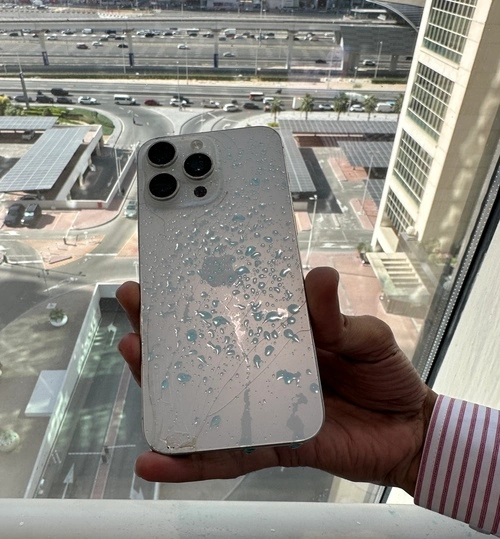
I have lost count of how many iPhones I could have saved if the owner had skipped the rice and come straight to us. Apple warns against it. Independent testing proves it is the worst drying agent available. And every technician who opens water damaged phones for a living will tell you the same thing.
Rice is not a repair tool. It is a delay that gives corrosion more time to destroy your phone from the inside. If your iPhone has been exposed to water, power it off, keep it dry, and bring it to a professional who knows how to handle liquid damage at the board level.
That is the only method that actually works - and after thousands of repairs, I can say that with complete confidence.
